
Use cases Live
AI for sales teams: find your revenue role and the agents and workflows to open first
AI for sales teams, role by role: which agents and workflows account executives, sales managers, SDRs, customer success, RevOps and enablement open first.
On this page
- Find your revenue role and what to open first
- Which AI agents do account executives work with?
- Which AI agents do sales managers work with?
- Where do SDRs and BDRs start with AI agents?
- Which AI agents do customer success managers work with?
- How does RevOps use AI agents day to day?
- Where do enablement managers start with AI agents?
- What to open after your first page
You've been asked how AI for sales teams would work here, and the answer depends on who you ask: the rep carrying deals, the manager running the team, or the person who owns the CRM. Don't read these docs in order. If you own deals, open the account executive use case. If you manage people, open the pipeline review guide. If you run the systems, open Oliv AI's Oliver agent and the CRM upkeep guide.
Find your revenue role and what to open first
Find your role in the table, open the first page it names, and follow that page's links to the agents and workflows it depends on. Only account executives have a use case page, so every other role starts from a workflow or agent page. Oliv AI works as a layer on top of your CRM, so every role reads from the same record.
| If you | Open first | Agents you'll work with |
|---|---|---|
| Own deals as an account executive | The account executive use case | Meeting Assistant, CRM Manager |
| Manage a sales team | The pipeline review guide | Deal Driver, Forecaster, Coach |
| Book and run first calls as an SDR or BDR | The meeting preparation guide | Olivia, plus Deal Driver if you lead BDRs |
| Look after accounts in customer success or account management | The Olivia agent page | Olivia, CRM Manager, Portfolio Manager |
| Run the systems in revenue operations | The Oliver agent page, then the CRM upkeep guide | Oliver, CRM Manager, Forecaster |
| Ramp reps in enablement | The Coach agent page | Coach |
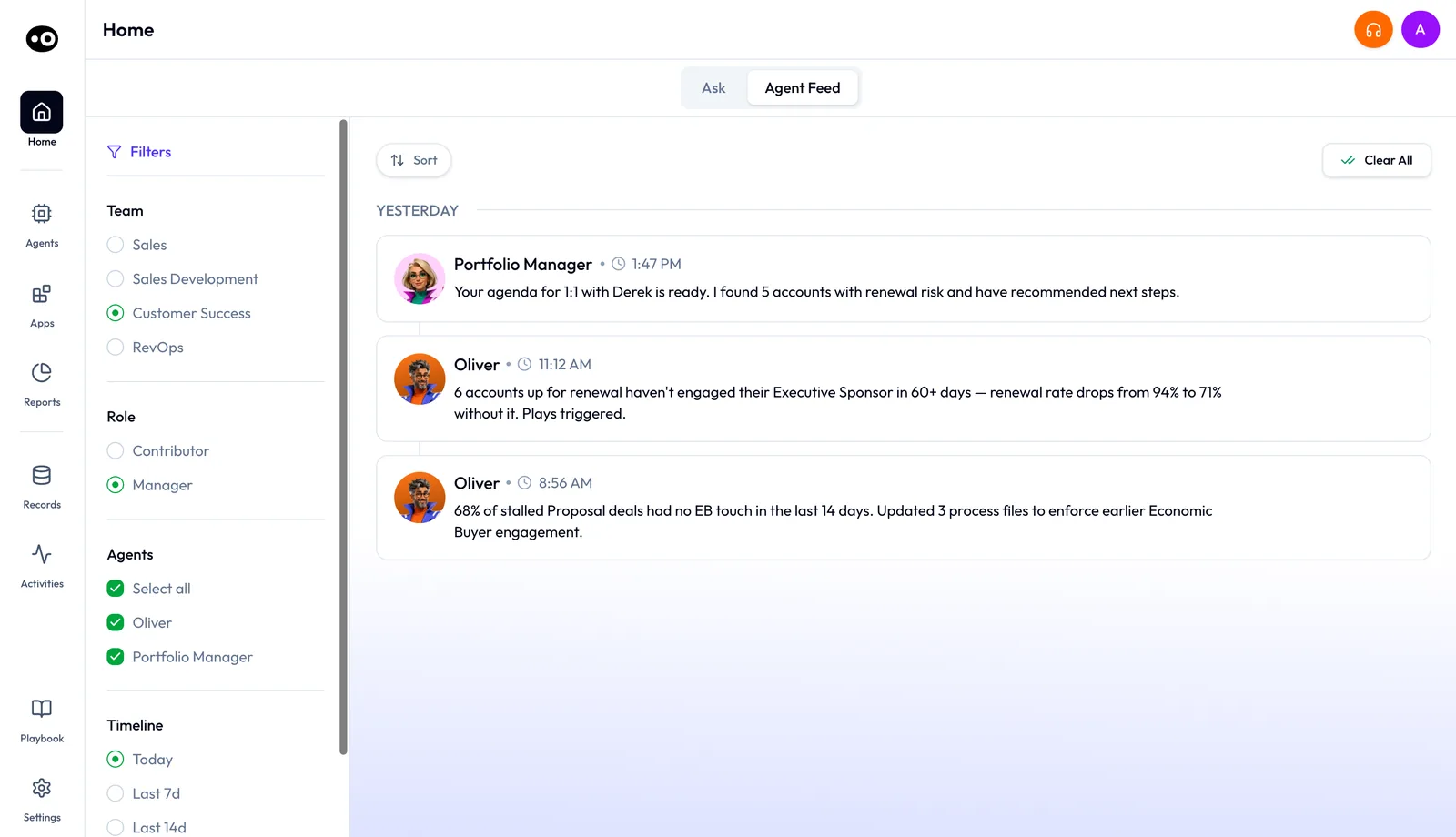
Before you send someone a page, check what they would see. On Home, open the Agent Feed tab and set Team to Sales, Sales Development, Customer Success or RevOps. Where the Role filter shows, set it to Contributor or Manager. The feed then lists the agents that person uses and the updates those agents posted.
Which AI agents do account executives work with?
If you carry deals and your calendar is full of customer meetings, open the account executive use case first. It shows how the pieces fit across a deal, so you see the whole job before any single agent.
Oliv AI's Meeting Assistant agent sends a brief before each meeting on an active opportunity, then drafts the follow-up after the call. Oliv AI's CRM Manager agent turns what was said into field updates you approve. Check that your meetings are linked to active opportunities, because Meeting Assistant works only on those. A meeting with no linked opportunity gets no brief.
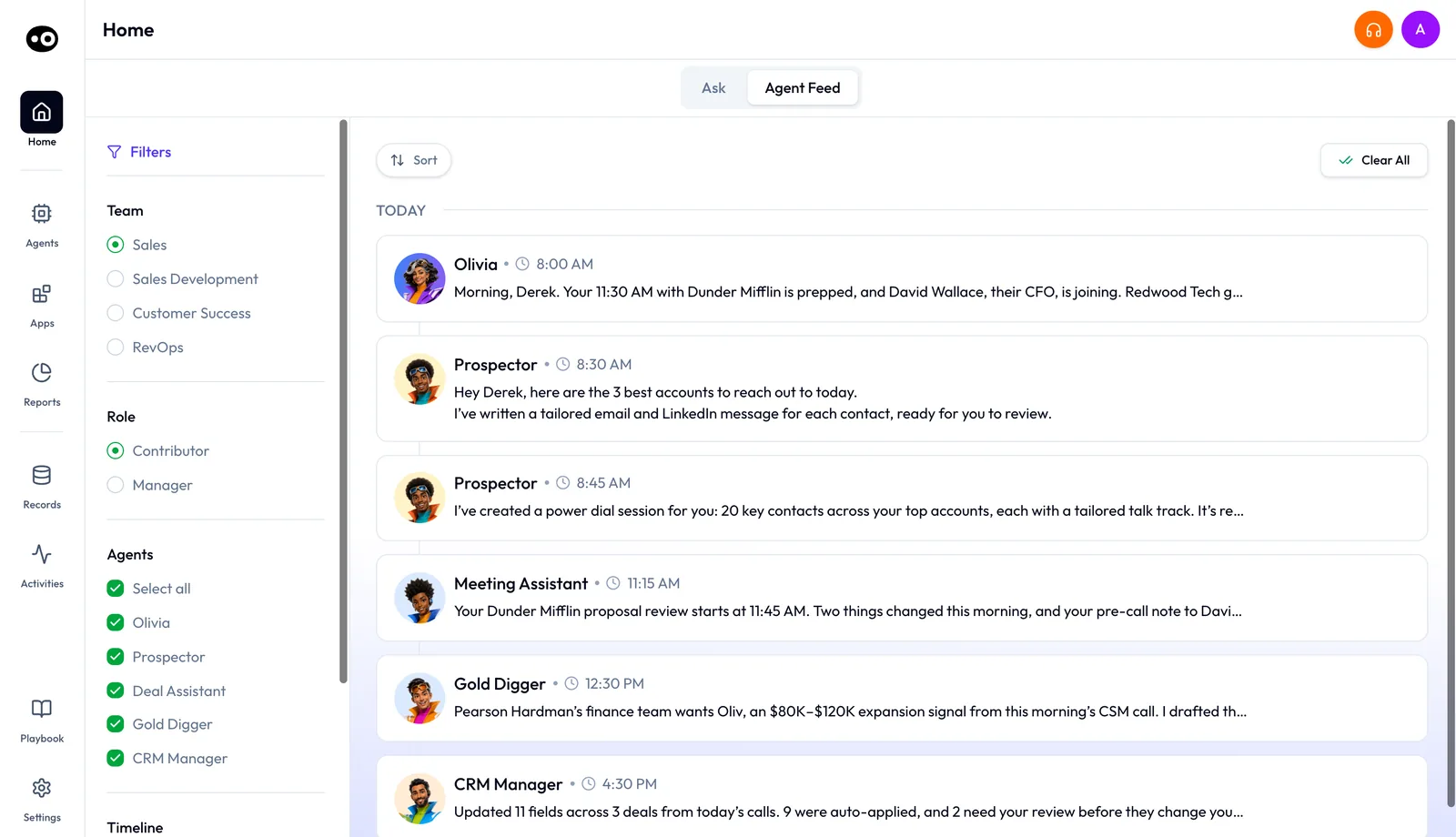
Next, read the Meeting Assistant agent and CRM Manager agent pages, in that order. Use the recording and follow-up guide for what happens after each call.
Which AI agents do sales managers work with?
If you run a team and your week turns on pipeline reviews, 1:1s and a forecast number, open the pipeline review guide first. It puts three agents together in one weekly meeting. Skip it and you get three agent pages with no meeting to connect them.
You work from the same deals as your reps, seen at team level. Oliv AI's Deal Driver agent sends a morning brief, an alert when a deal needs attention, and a prep report for each rep before their 1:1. Oliv AI's Forecaster agent pre-drafts each rep's forecast, and you add your adjustments before the team number rolls up. Oliv AI's Coach agent scores every recorded call and recommends three goals per rep each month, and you set one.
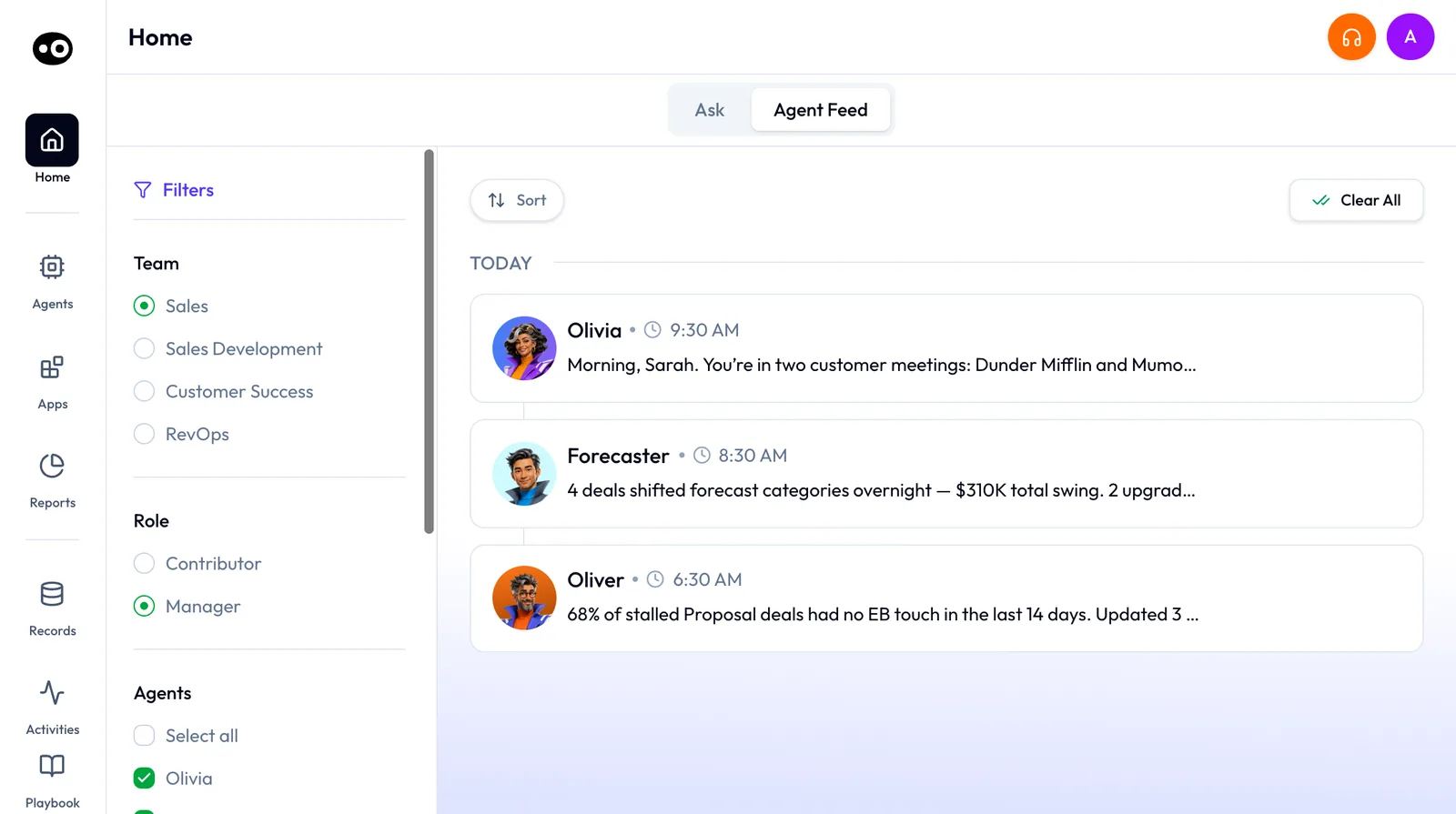
Once the meeting makes sense, open the Deal Driver, Forecaster and Coach agent pages.
Where do SDRs and BDRs start with AI agents?
If you book and run first calls, preparation and capture matter most, so open the meeting preparation guide first. Oliv AI's Olivia agent researches the company and the person before a first meeting, and the guide shows that brief. Then check the Zoom integration, which records those calls, whoever hosts them.
If you lead BDRs, add Oliv AI's Deal Driver agent. Its briefs and reports work across BDR and AE pipelines, so you use it the same way sales managers do.
Which AI agents do customer success managers work with?
If you look after a book of accounts and need the history before a call, open the Olivia agent page first. Oliv AI's Olivia agent has the full account history ready before every call, and the page shows how to ask her for it. Oliv AI's CRM Manager agent tracks renewals, QBRs and CS check-ins as well as sales cycles.
When you take over an account, start with the recorded handover call, which gives you its summary and next steps. If your team runs its day from a shared channel, set up the Slack integration. If a customer asks for no meeting bot, check who organizes the call before you agree, because Oliv AI records botlessly when your company organizes it.
If you manage the team, add Oliv AI's Portfolio Manager agent. It's the customer success equivalent of Deal Driver, applied to the renewal book, and in your feed it posts the 1:1 agenda with the accounts at renewal risk. Read more for customer success and account management teams.
How does RevOps use AI agents day to day?
If you set the rules and keep the data clean, open Oliv AI's Oliver agent first. It keeps the process handbook: your ICP, personas, approval workflows and sales methodology. Then open the CRM upkeep guide and CRM field mapping, which cover how updates reach the right fields. The Salesforce integration page covers the install.
Day to day, work from the RevOps feed. It shows Oliver's review with changes ready to approve, the count of updates Oliv AI's CRM Manager agent applied and held for review, and category shifts from Oliv AI's Forecaster agent.
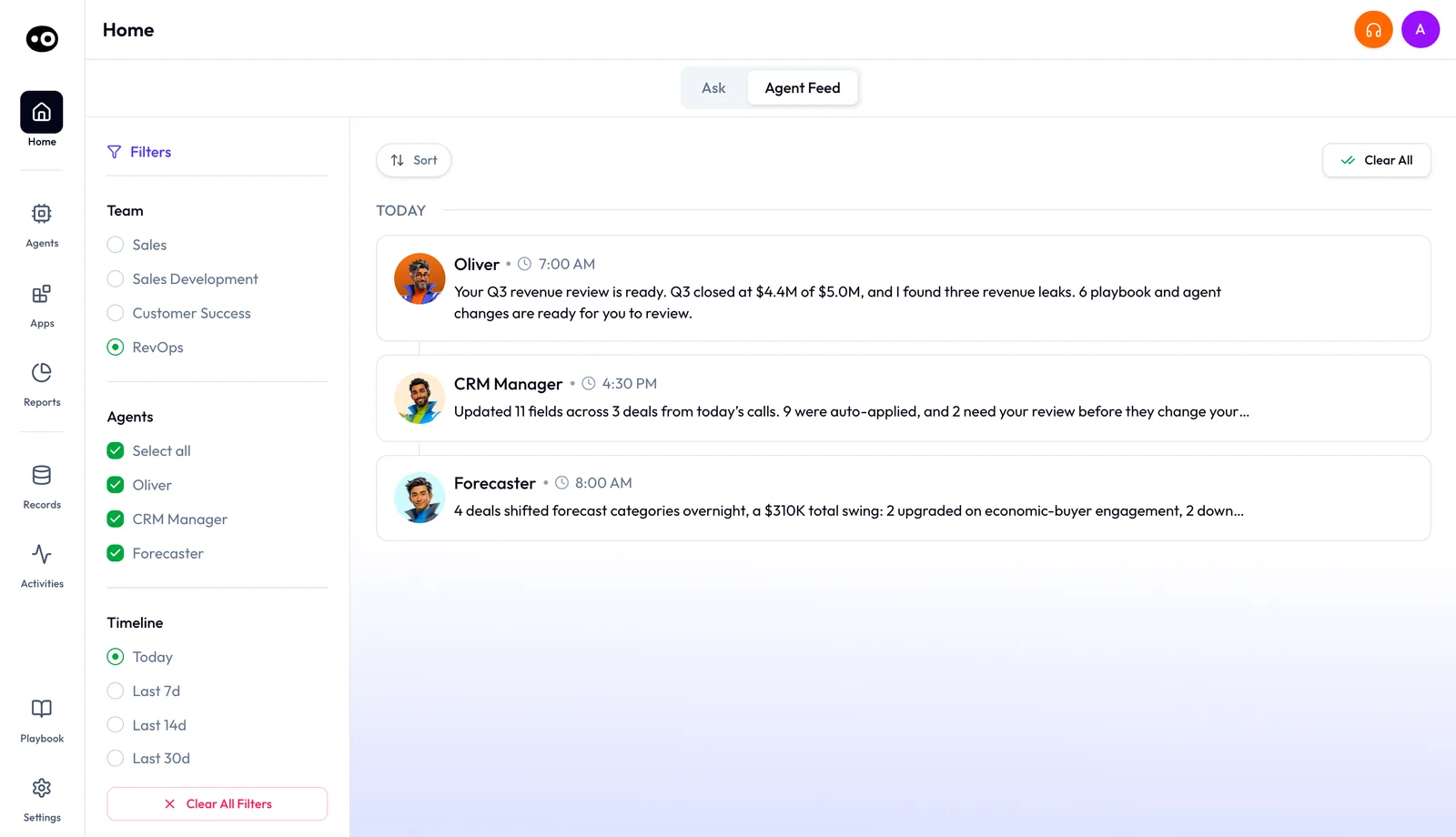
When an agent starts at the wrong moment, check its agent triggers. When you need to know what an agent did, open run history, which shows each run. If you're planning a rollout, start with plans and seat roles so each person gets the seat they need.
Where do enablement managers start with AI agents?
If you ramp reps and keep training current, open the Coach page first. It shows how call scores turn into one goal per rep each month. Then use the clip library to collect the moments you describe, such as pricing objections, from real calls. Add the background reading an agent works against, such as a buying-committee profile or a solution deck, to its agent knowledge files.
What to open after your first page
When your first page leaves you with a question, choose the next page by that question:
| Your question | Open |
|---|---|
| What does this agent do, and how do I set it up? | The agent's own page |
| How do I get one job done from start to finish? | A workflow guide, which follows the job across agents |
| What does Oliv AI do for my role? | Your role's section on this page |
| What connects to Oliv AI, and who needs which seat? | The integrations, apps and plans pages |
If someone on your team wants the wider case before they pick a role, send them the post on AI for sales teams.