Q1: Revenue Orchestration vs. AI-Native Revenue Orchestration: Why Does This Distinction Matter for RevOps? [toc=Orchestration vs Engineering]
RevOps has evolved through four generations since 2015, from ops consolidation and revenue intelligence into revenue orchestration, and now into what leading practitioners call AI-Native Revenue Orchestration (or GTM engineering). Each wave promised to eliminate manual work. Each wave mostly added more dashboards. If you unified the team, bought the stack, and still spend Thursdays prepping Monday's board deck, you're not alone, you're stuck in the orchestration phase.
The Orchestration Trap: Intelligence Without Execution
Clari and Gong doubled down on revenue orchestration, aggregating fragmented data into centralized views and dashboards. ✅ The data is visible. ✅ The dashboards are polished. ❌ But acting on that data still requires significant manual intervention. Orchestration is, at its core, the late-stage culmination of pre-AI consolidation: it shows you the problem but doesn't solve it.
As one Reddit user put it about Clari:
"It is really just a glorified SFDC overlay. Actually, Salesforce has built most of the forecasting functionality by now anyway so I'm not sure where they fit into that whole overcrowded Martech space."
— conaldinho11, r/SalesOperations Reddit Thread
And Gong users note a similar disconnect between intelligence and action:
"There are many AI driven tools that we don't really utilize but overall we are happy with the product... Gong's deal forecasting we don't use."
— Karel Bos, Head of Sales, TrustRadius Verified Review
✅ The AI-Native Revenue Orchestration Shift: From Dashboards to Agents
AI-Native Revenue Orchestration treats the revenue process as an engineering workflow, something that can be simulated, optimized, and automated by agents. The shift is fundamental: instead of dashboards that inform, you deploy agents that perform the "jobs to be done." This means the system doesn't just flag a deal risk; it drafts the follow-up, updates the CRM, and alerts the manager, all without human prompting.
How Oliv.ai Operates in the AI-Native Revenue Orchestration Paradigm
Oliv.ai is built for this next generation. We don't surface insights for humans to act on, our agents execute the work autonomously:
- CRM Manager Agent → Enriches accounts, deduplicates records, populates missing fields
- Pipeline Tracker Agent → Monitors deal progression and flags risks in real time
- Forecaster Agent → Inspects every deal line-by-line using actual conversation signals
The cost difference tells the story: Oliv delivers a 91% TCO reduction compared to legacy stacks, $68,400 vs. $789,300 for a 100-user team over three years, because the engineering model eliminates not just manual hours but entire cost layers.
Q2: Is 'Agentic AI' Real, Or Just Rebranded Chatbots? [toc=Agentic AI vs Chatbots]
RevOps leaders are right to be skeptical. The market is deep in what analysts call the "Trough of Disillusionment" with first-generation AI tools. Most "AI features" inside CRMs are glorified chat interfaces: you type a prompt, get a response, then manually copy-paste the output into a field. That's a copilot, not an agent.
❌ The Copilot Problem: Chat-Based AI Still Requires Human Labor
Salesforce Agentforce is the most visible example of this gap. Despite the "agent" branding, it remains heavily chat-focused, a human must manually "talk to the bot" to get an answer, then take action separately. As G2 reviewers note:
"Lots of clicking to get select the right options. UX needs improvement. Everything opens in a new browser tabs clustering the browser. Lots of jumping back and forth between tabs to enable settings."
— Verified User in Consulting, Enterprise, G2 Verified Review
"It still needs some serious debugging. I built the default agent, went well, then went to create a second agent and could not get past an error."
— Jessica C., Senior Business Analyst, G2 Verified Review
This is copilot behavior dressed in agentic language. The human remains the bottleneck.
✅ What True Agentic AI Actually Looks Like
True agentic AI follows a continuous observe → decide → act → learn loop without waiting for a human prompt:
- Observe — Monitors CRM signals, call transcripts, email threads, Slack messages in real time
- Decide — Reasons through context using fine-tuned LLMs grounded in your company's data
- Act — Executes CRM writes, drafts follow-ups, triggers alerts, updates deal scores
- Learn — Refines its models based on outcomes and feedback loops
How Oliv.ai Delivers Autonomous Execution
Oliv's agents are autonomous executors, they deliver finished artifacts directly into your workflow without requiring a prompt:
- A drafted follow-up email lands in your inbox after every call
- A populated MEDDPICC scorecard appears in your CRM automatically
- A board-ready forecast deck is assembled from real deal signals
⏰ Time-to-value comparison: Oliv is functional in 5 minutes with a one-time integration. Gong requires 8 to 24 weeks of implementation and 40 to 140 admin hours for configuration. That difference isn't incremental, it's architectural.
Q3: Why Do RevOps AI Features Fail, Is It a Data Grounding Problem? [toc=AI Feature Failures]
Your forecast failed even though you bought "revenue intelligence." Your activity logging attaches calls to the wrong opportunity. Duplicates break rolled-up reporting. The pattern is the same across every RevOps team: AI features are only as reliable as the data beneath them, and most CRM data is not AI-ready.
❌ How Legacy Tools Perpetuate the Dirty Data Problem
Traditional systems rely on brittle, rule-based logic to map activities to records. When duplicate accounts exist (e.g., "Google US" and "Google India"), these rules get confused and attach data to the wrong record. The downstream impact cascades:
- Salesforce Einstein Activity Capture frequently misses associations or redacts data unnecessarily
- Gong's rule-based mapping uses keyword matching that produces lower association accuracy
- Clari's forecasting still depends on biased, rep-driven manual roll-ups
As one Gong user describes the data portability challenge:
"This lack of flexibility has required us to engage our development team at additional cost, adding significant operational and opportunity costs just to extract data we already own."
— Neel P., Sales Operations Manager, G2 Verified Review
And on the forecasting side, the data quality issue is systemic:
"Clari should find ways to differentiate from the native Salesforce features (e.g., Pipeline Inspection, Forecasting) in order to remain competitive in the long-run. Additionally, it's sometimes difficult if you don't have a strong RevOps/RevTech team to maintain validation rules in both Salesforce and Clari instances."
— Dan J., Mid-Market, G2 Verified Review
✅ The Fix: Deploy AI That Cleans Data as Its First Job
The solution isn't "clean your data for 2 to 3 years, then deploy AI." It's deploying AI that cleans the data as its first job, using generative AI to reason through conversation context and determine correct associations, not keyword matching.
This means the intelligence layer must:
- Capture signals from every channel (calls, emails, Slack, support tickets)
- Use contextual reasoning, not rules, to associate activities with the correct account/opp
- Continuously deduplicate and normalize records without human intervention
How Oliv.ai Solves the Grounding Problem Architecturally
Oliv assumes dirty data and makes it clean, that's the architectural difference:
- CRM Manager Agent → Automatically enriches accounts and contacts with verified data
- Data Cleanser Agent → Deduplicates and normalizes records weekly, flagging anomalies autonomously
- AI-Based Object Association → Uses generative AI to reason through call/email/Slack history and attach activities to the correct opportunity, even in messy CRMs with duplicates
Most tools assume clean data. Oliv builds fine-tuned LLMs grounded exclusively in your organization's specific data lake. By cleaning the data before the agents execute, we eliminate hallucinations and ensure reliability, making data "AI-ready" in 1 to 2 days, not years.
Q4: What Does an AI-Ready Data Architecture Look Like for RevOps? [toc=AI-Ready Data Architecture]
Deploying agentic AI without the right data architecture is like building a house on sand. For RevOps teams evaluating implementation, the architecture must be understood as a three-tier system, each layer serving a distinct function in the signal-to-action pipeline.
Tier 1: The Data Layer (Signal Capture and Unification)
This foundational layer collects and unifies raw signals from every revenue-relevant system:
Signal Sources for the Data Layer| Signal Source | Data Type | Integration Pattern |
|---|
| CRM (Salesforce, HubSpot) | Deals, contacts, accounts, fields | Bidirectional API sync |
| Call Platforms (Zoom, Teams, Dialers) | Transcripts, recordings, metadata | Webhook / real-time capture |
| Email (Gmail, Outlook) | Threads, attachments, timestamps | OAuth integration |
| Messaging (Slack, Teams, Telegram) | Channel messages, DMs, threads | Bot-based listener |
| Support Tickets (Zendesk, Intercom) | Case data, resolution history | API polling / event-driven |
| Enrichment Providers (ZoomInfo, Clearbit) | Firmographic, technographic data | Scheduled batch sync |
The key architectural principle is stitching: the data layer must combine signals across all these sources into a single, unified account narrative, not siloed per tool. Most legacy platforms capture only one or two channels (typically calls + CRM). A complete architecture requires stitching Call + Meeting + Email + Slack + Support Tickets into a 360-degree account view.
Tier 2: The Intelligence Layer (Agent Orchestration)
This middle layer is where agentic AI lives. It houses the models, reasoning engines, and agent orchestration logic:
- Fine-tuned LLMs — Models grounded in your company's specific revenue data (not general-purpose GPTs)
- Context Assembly Engine — Aggregates signals from Tier 1 into a structured context packet before each agent decision
- Agent Router — Determines which agent (CRM Manager, Forecaster, Pipeline Tracker) handles which event
- Confidence Scoring — Assigns a confidence score to every proposed action, gating autonomous execution vs. human-in-the-loop approval
The Model Context Protocol (MCP) is emerging as the integration standard for this layer, enabling cross-system agent orchestration by providing a standardized way for AI models to access external tools and data sources.
Tier 3: The Action Layer (CRM Writes and Workflow Triggers)
This is where agent decisions become real-world outcomes:
- CRM field updates (deal stage, next steps, contact enrichment)
- Workflow triggers (Slack alerts, email drafts, task creation)
- Dashboard generation (auto-populated forecasts, pipeline reports)
- Audit logging (every agent action recorded with timestamp, confidence score, and approval status)
The critical design principle for Tier 3 is risk-tiered execution: low-risk actions (logging, summarizing) execute autonomously, while high-risk actions (deal stage changes, forecast submissions) route through human-in-the-loop approval gates.
How Oliv.ai Implements This Architecture
Oliv.ai provides this three-tier architecture out of the box. It stitches six or more signal sources into a unified intelligence layer, runs fine-tuned LLMs grounded in your organization's data, and delivers autonomous CRM writes with full audit trails, typically operational within 1 to 2 days rather than the months required to custom-build an equivalent stack.
Q5: How Does Data Flow Through an Agentic AI System, From Signal Capture to CRM Write? [toc=Agentic AI Data Flow]
Understanding the end-to-end data-flow pathway is critical before deploying any agentic AI system. Unlike legacy tools that process signals in isolation (calls in one silo, emails in another), an agentic architecture routes every revenue signal through a unified pipeline, from capture to CRM write, with built-in reasoning and approval gates at each stage.
Stage 1: Signal Capture
The pipeline begins with real-time ingestion from every revenue-relevant channel:
Signal Capture Sources and Methods| Signal Type | Source Examples | Capture Method |
|---|
| Voice | Zoom, Teams, Dialers | Webhook / real-time transcription |
| Email | Gmail, Outlook | OAuth-based thread capture |
| Messaging | Slack, Teams, Telegram | Bot-based listener |
| CRM Events | Salesforce, HubSpot | Change Data Capture (CDC) / API |
| Support | Zendesk, Intercom | Event-driven API polling |
The key principle: signals must be captured continuously and bidirectionally, not in batch jobs that introduce 20 to 30 minute delays.
Stage 2: Context Assembly
Raw signals are meaningless without context. The context assembly engine stitches captured signals into a structured "context packet" for each account or opportunity:
- Identify — Match the signal to the correct account/opportunity using AI-based object association (not rule-based matching)
- Enrich — Append firmographic, technographic, and historical interaction data
- Deduplicate — Resolve conflicting or duplicate records before downstream processing
- Prioritize — Rank signals by recency, relevance, and confidence score
Stage 3: AI Reasoning and Action Proposal
The assembled context packet is passed to the intelligence layer, where fine-tuned LLMs process it through the observe, decide, act loop:
- The model evaluates the context against your company's specific revenue playbook (e.g., MEDDPICC criteria, stage-gate requirements)
- It generates an action proposal, a drafted CRM update, follow-up email, alert, or forecast adjustment
- Each proposal receives a confidence score determining its execution path
Stage 4: Human-in-the-Loop Approval Gate
Actions are routed based on risk-tiering logic:
- ✅ Low-risk (confidence > 95%): Auto-executed, e.g., logging a call summary, updating "Last Contacted" field
- ⚠️ Medium-risk (confidence 80 to 95%): Drafted and sent to the rep/manager via Slack nudge for one-click approval
- ❌ High-risk (confidence < 80%): Queued for manual review, e.g., deal stage changes, forecast submission overrides
Stage 5: CRM Write and Feedback Loop
Once approved (or auto-executed), the action is written to the CRM with a full audit trail, timestamp, agent ID, confidence score, and approval status. The feedback loop then captures the outcome (did the deal progress? did the rep override the update?) and feeds it back into the model for continuous refinement.
Oliv.ai implements this full five-stage pipeline out of the box, stitching Call + Meeting + Email + Slack + Telegram + Support Tickets into a unified context layer and delivering autonomous CRM writes with complete audit trails, typically operational within 1 to 2 days.
Q6: What's the Day-One Setup Checklist for Agentic AI in RevOps? [toc=Day-One Setup Checklist]
Most "implementation guides" for agentic AI stop at abstract frameworks. This section provides a literal, operational checklist, what to configure on Day 1, what to validate in Week 1, and what to measure by Month 1.
✅ Day 1: Foundation Setup (4 to 6 Hours)
- CRM Audit Snapshot — Export your current field completeness rate, duplicate count, and activity-to-opportunity association accuracy. This becomes your baseline for measuring AI impact.
- API Connections — Authenticate bidirectional integrations with your CRM (Salesforce/HubSpot), call platform (Zoom/Teams), email (Gmail/Outlook), and messaging tools (Slack/Teams).
- Agent Activation — Start with one read-only agent (e.g., meeting summarization or CRM enrichment). Do not enable CRM write access on Day 1.
- RBAC Configuration — Define initial permission scopes: which roles can view agent outputs, which can approve CRM writes, and which have admin access to agent settings.
- Sandbox Test — Run the activated agent against 10 to 15 recent calls/deals in a sandbox environment to validate output quality before exposing it to live data.
⏰ Week 1: Controlled Expansion (Days 2 to 7)
- Enable First CRM Writes — Upgrade one agent from read-only to draft mode (agent drafts updates, human approves via Slack/email before write executes).
- Validate Object Association — Spot-check 20 to 30 activity-to-opportunity associations to confirm AI-based mapping accuracy vs. your legacy rule-based system.
- Configure Alert Thresholds — Set confidence score thresholds for autonomous execution vs. human-in-the-loop routing (recommended starting point: 95% for auto, 80 to 95% for draft mode).
- Onboard First Team — Brief the pilot team (5 to 10 users) with a 30-minute walkthrough, not a multi-week training program.
- Activate Monitoring Dashboard — Turn on the agent performance dashboard tracking: actions proposed, actions approved, actions overridden, and CRM fields updated.
📊 Month 1: Measurement and Scale Decision (Days 8 to 30)
- Measure Baseline Improvement — Compare field completeness, duplicate rate, and activity association accuracy against your Day 1 snapshot.
- Review Override Rate — If humans are overriding more than 15% of agent proposals, recalibrate confidence thresholds or refine the model's training data.
- Expand to Second Use Case — Add a second agent (e.g., pipeline tracking or forecast generation) once the first is stable.
- Expand to Second Team — Extend access from the pilot team to an adjacent team (e.g., from Sales to CS).
- Conduct 30-Day Governance Review — Audit all agent actions logged during Month 1 with RevOps, Legal, and Sales leadership.
Oliv.ai is designed to compress this timeline significantly. With one-time OAuth integrations and pre-configured agents, most teams complete the Day 1 checklist within 5 minutes and reach the Month 1 milestone within the first week.
Q7: What Governance and Permissions Model Should AI Agents Follow Across Sales, CS, and Ops? [toc=Governance and Permissions Model]
The number-one fear blocking agentic AI adoption is simple: "What if the AI writes the wrong thing to our CRM?" Organizations need a governance model before deployment, not after an incident, yet most teams lack a framework for deciding which agent actions are autonomous versus human-approved.
❌ The Monolithic License Problem
Legacy platforms use a one-size-fits-all approach to access. Everyone gets the same license, the same permissions, and the same capabilities, regardless of whether they need full pipeline management or basic call transcription. The result is overpaying for underutilized seats and zero granular control over what AI can read, write, or execute by role.
As one Gong user described the cost mismatch:
"The additional products like forecast or engage come at an additional cost. Would be great to see these tools rolled into the core offering."
— Scott T., Director of Sales, G2 Verified Review
And the Agentforce experience highlights the governance gap in new entrants:
"Can be complex to set up and often requires skilled administrators or developers to customize and integrate properly, which adds time and cost."
— Verified User in Marketing and Advertising, Enterprise, G2 Verified Review
✅ The Risk-Tiered Governance Framework
Modern agentic governance requires risk-tiering, enforced in middleware, not hoped for via prompts:
Risk-Tiered Governance Framework for AI Agents| Risk Tier | Action Examples | Execution Mode | Approval Required |
|---|
| 🟢 Low | Call summaries, activity logging, field enrichment | Autonomous | None |
| 🟡 Medium | CRM field updates, task creation, next-step population | Draft + Nudge | Rep one-click approval |
| 🔴 High | Deal stage changes, forecast submissions, contract flags | Queued | Manager/VP sign-off |
This model should be paired with a role-based permissions matrix mapping agent capabilities to team functions:
- Sales Reps → Receive drafted follow-ups and CRM updates for approval; no admin access
- CS Managers → Access retention-focused agents (churn risk alerts, health scores); read-only on pipeline agents
- RevOps Admins → Full agent configuration, threshold adjustments, and audit log access
How Oliv.ai Enforces Modular Governance
Oliv uses modular RBAC, RevOps deploys specific agents to specific roles with distinct permission scopes. Our Researcher Agent serves SDRs with account intelligence; the Retention Forecaster serves CSMs with churn signals. Each agent drafts CRM updates and sends a Slack nudge to "verify and approve" before pushing data to the CRM. Full audit logs, timestamped, confidence-scored, and approval-tracked, are maintained for compliance.
💡 Practical takeaway: Build your permissions matrix before you activate your first agent. Map every planned agent action to a risk tier and approval level, it takes 30 minutes and prevents every governance headache downstream.
Q8: Our CRM Data Is Already a Mess, How Do We Make It AI-Ready Without a Two-Year Cleanup Project? [toc=CRM Data AI-Readiness]
You implemented HubSpot or Salesforce six months ago and the data is already a mess. Reps show managers only what they want them to see. Activity logging is manual and inconsistent. Leadership wants "AI-driven insights," but closing the data gap feels like a two-to-three-year project.
❌ Why Traditional CRMs Can't Fix Their Own Data Problem
Salesforce and HubSpot are static repositories that depend on clean human input to function. They add administrative burden to the people least incentivized to do data entry, your sales reps. The result is predictable: 40+ hours per month spent on manual cleanup, and a CRM that degrades faster than any human can maintain it.
Agentforce promises AI-driven data improvement but requires a costly Data Cloud subscription and focuses primarily on B2C workflows, not the complex B2B data cleanup that RevOps teams actually need. As one reviewer noted:
"It can be complex to set up and customize. Expensive, especially for smaller teams. Steep learning curve for new users. Slow performance if not optimized. Overwhelming with too many features at once."
— Shubham G., Senior BDM, G2 Verified Review
Meanwhile, Gong's data portability creates its own challenges:
"The lack of robust data export options has made it hard to justify the platform's cost, especially as it falls short of meeting practical data management needs."
— Neel P., Sales Operations Manager, G2 Verified Review
✅ The Paradigm Shift: AI Cleans As It Goes
The fix isn't "clean first, deploy AI later." It's deploying an intelligence layer that makes data AI-ready as its first job, capturing the 360-degree account view from calls, emails, support tickets, and Slack so the CRM stays clean even when reps fail to input data manually.
How Oliv.ai Makes Data AI-Ready in Days, Not Years
Oliv provides an out-of-the-box model that makes data AI-ready in 1 to 2 days rather than years. It stitches Call + Meeting + Email + Slack + Telegram + Support Tickets into a single unified narrative. Our agents handle the rest:
- CRM Manager Agent → Enriches accounts and contacts with verified data automatically
- Data Cleanser Agent → Deduplicates and normalizes records weekly, flagging anomalies autonomously
- AI-Based Object Association → Reasons through conversation history to attach activities to the correct opportunity
📊 Self-Assess: The CRM AI-Readiness Score
Use this framework to gauge your current state before deploying any intelligence layer:
CRM AI-Readiness Score Framework| Criteria | Weight | 🟢 AI-Ready | 🔴 Not Ready |
|---|
| Field Completeness | 25% | >85% of required fields populated | <60% populated |
| Duplicate Rate | 25% | <5% duplicate accounts/contacts | >15% duplicates |
| Activity Association Accuracy | 25% | >90% activities on correct opp | <70% correct |
| Data Freshness | 25% | >80% records updated within 30 days | <50% updated |
If you score "Not Ready" on two or more criteria, you need an intelligence layer that cleans as it goes, not a two-year manual project that will never finish.
Q9: Are AI Agents Actually Better Than Well-Trained Ops People Running the Same Processes? [toc=AI Agents vs Ops People]
RevOps leaders aren't threatened by AI, they're skeptical of the ROI. A well-trained ops person already runs forecasting, pipeline reviews, and CRM cleanup. The real question isn't "can agents do what my team does?" It's "can agents do it at a scale and speed that humans cannot, without sacrificing quality?"
❌ The Manual Roll-Up Bottleneck
Even with Clari or Gong deployed, the weekly rhythm looks the same: managers spend Thursdays and Fridays doing manual roll-ups and prep work for Monday board meetings. In high-velocity SMB cycles with 15 to 20 day close windows, a weekly human-led pipeline review means deals can slip through multiple stages before anyone notices.
✅ Gong provides valuable conversation intelligence. ✅ Clari centralizes forecasting views. ❌ But both still rely on humans to audit deals, compile insights, and act on the data, and humans simply cannot audit 100% of interactions.
As one Gong user acknowledged:
"There's so much in Gong, that we don't use everything. Gong's deal forecasting we don't use."
— Karel Bos, Head of Sales, TrustRadius Verified Review
And a Clari user highlighted the ongoing overhead:
"Clari should find ways to differentiate from the native Salesforce features (e.g. Pipeline Inspection, Forecasting) in order to remain competitive in the long-run. Additionally, it's sometimes difficult if you don't have a strong RevOps/RevTech team to maintain validation rules in both Salesforce and Clari instances."
— Dan J., Mid-Market, G2 Verified Review
✅ Agents as a Force Multiplier, Not a Replacement
The value of AI agents isn't replacing ops people, it's giving them leverage. Agents offer 100% coverage: every deal, every interaction, every signal reviewed continuously. They save managers an estimated one full day per week by eliminating manual auditing and automated roll-ups. The human focuses on strategy; the agent handles the audit.
How Oliv.ai Creates Superhuman Leverage
Oliv's Forecaster Agent inspects every deal line-by-line using actual conversation signals, flagging when an Economic Buyer goes silent or a champion disengages. The Analyst Agent lets RevOps ask strategic questions in plain English (e.g., "Why are we losing FinTech deals in Stage 2?") and receive visual dashboards with interpretive commentary in seconds, no SQL, no brittle API work required.
For the solo RevOps operator buried in admin with no time for strategy, agents aren't a luxury, they're the difference between drowning in CRM cleanup and actually doing territory planning and incentive design. Oliv agents act as your fractional RevOps team, automating data ingestion, normalization, and field population so the human hire can focus on what only humans can do: judgment, relationships, and strategic decisions.
Q10: How Should RevOps Compare Revenue Intelligence Platforms, What Architecture Criteria Actually Matter? [toc=Platform Architecture Criteria]
Traditional platform comparison focuses on feature-by-feature "dashcam" checklists, call recording ✓, deal boards ✓, forecasting ✓. But features are commoditized. The criteria that actually determine whether agentic AI will work in your stack are architectural, not functional.
❌ Why Feature Checklists Fail
Gong and Clari charge platform access fees ($5k to $50k+) and force annual upfront payments. Gong has a 20 to 30 minute delay post-call before data is visible. Implementation takes 8 to 24 weeks and requires 40 to 140 admin hours. Their APIs require significant custom work for data extraction.
As one frustrated user put it:
"This lack of flexibility has required us to engage our development team at additional cost, adding significant operational and opportunity costs just to extract data we already own."
— Neel P., Sales Operations Manager, G2 Verified Review
And on the cost front:
"It was a big mistake on our part to commit to a two year term. Gong is a really powerful tool but it's probably the highest end option on the market, and now we're stuck with a tool that works technically but isn't the right business decision."
— Iris P., Head of Marketing, Sales & Partnerships, G2 Verified Review
✅ The Five Architecture Criteria That Actually Matter
Architecture Evaluation Criteria for Revenue Intelligence Platforms| Criteria | What to Evaluate | Why It Matters |
|---|
| ⏰ Time-to-Value | Setup to first useful output | Determines adoption risk |
| 📊 Data Context Depth | Number of signal sources stitched | Governs insight accuracy |
| 🔧 Modularity | Can you deploy only what you need? | Controls cost and complexity |
| 🔒 Governance Granularity | RBAC, audit trails, risk tiering | Determines enterprise readiness |
| 🔗 Integration Ecosystem | Breadth and depth of connectors | Prevents vendor lock-in |
How Platforms Compare on Architecture
Revenue Intelligence Platform Architecture Comparison| Criteria | Gong | Clari | Agentforce | Oliv.ai |
|---|
| ⏰ Time-to-Value | 8 to 24 weeks | 4 to 8 weeks | 6+ weeks | 5 minutes |
| 📊 Signal Sources | Calls + Email | CRM + Calls | CRM-native only | 6+ (Calls, Email, Slack, Telegram, Support, CRM) |
| 🔧 Modularity | Bundled tiers | Bundled modules | Per-conversation pricing | Pay per agent |
| 🔒 Governance | Unified license | Role-limited views | Chat-based prompts | Modular RBAC + audit logs |
| 🔗 Integrations | Moderate (API limitations) | SF-dependent | Salesforce-only | CRM-agnostic, multi-platform |
💡 If your comparison spreadsheet has 40 feature rows and zero architecture rows, you're evaluating the wrong things. Recording and transcription are commodity features that should be free. Evaluate revenue intelligence platforms on how fast they deliver value, how deeply they stitch context, and how granularly they let you govern agent behavior.
Q11: What's the Future of CRM, Autonomous AI Agents or Incremental Feature Bolt-Ons? [toc=Future of CRM]
If you implemented Salesforce last year, the instinct is to wait, "Let's get value from what we have before adding more tools." But every month without an intelligence layer, your CRM drifts further from AI-readiness. The question isn't whether to add an intelligence layer, it's whether you can afford the data debt that accumulates every quarter you don't.
❌ The Bolt-On Problem: Patching a Broken Foundation
Salesforce and HubSpot are "bolting on small AI features", Einstein, Breeze, Copilot, to a fundamentally broken foundation: a CRM that is a byproduct of human manual effort. These incremental additions don't solve the structural problem. The CRM still depends on reps to enter data, managers to audit fields, and ops teams to run cleanup scripts.
As one Einstein user observed:
"Its biggest handicap is that it does not allow for data storage or data migration. You can't really input the data from Einstein into another platform. It has an extremely complicated set up process."
— Verified Reviewer, Gartner Peer Insights Review
And developers find the underlying AI underwhelming:
"Quite frankly I haven't been impressed by any of the early Salesforce AI tools, and I don't hear anyone talking about them glowingly... I have Einstein AI in visual studio code which works like GitHub Copilot, but much worse."
— OffManuscript, r/SalesforceDeveloper Reddit Thread
✅ The AI-Native CRM Vision
The future isn't incremental features added to a static database. It's an AI-native data platform where the CRM becomes an autonomous system. Humans don't interact with the CRM directly, they interact with agents that maintain, query, and act on the CRM autonomously. The CRM becomes infrastructure, not interface.
How Oliv.ai Accelerates This Future Today
Oliv positions the basic CRM layer as a commodity that should eventually be free. We serve as the intelligence layer that ensures your Salesforce or HubSpot investment actually provides ROI, not by replacing the CRM, but by making it self-maintaining and autonomous.
- The CRM Manager Agent keeps fields populated and records enriched without rep effort
- The Pipeline Tracker Agent monitors deal progression and flags risks in real time
- The Data Cleanser Agent deduplicates and normalizes weekly
The result: your CRM stays clean and current even if no human manually touches it. That's not a future prediction, it's available today, operational in 1 to 2 days, and delivering a 91% TCO reduction compared to legacy stacks.
Q12: What Does a Realistic Week-One to Month-One Agentic AI Rollout Look Like? [toc=30-Day Rollout Plan]
Deploying agentic AI in RevOps is not a six-month implementation project. With the right platform, it follows a controlled four-phase rollout that takes you from sandbox testing to full production within 30 days. Below is a milestone-driven timeline with specific KPIs at each phase.
Phase 1: Week 1, Sandbox + Read-Only Agents (Days 1 to 7)
Week 1 Rollout Milestones and KPIs| Day | Milestone | KPI |
|---|
| Day 1 | Complete CRM audit snapshot (field completeness %, duplicate rate, association accuracy) | Baseline recorded |
| Day 2 | Authenticate API connections (CRM, call platform, email, Slack) | All integrations green |
| Day 3 | Activate first agent in read-only mode (e.g., meeting summarization) | Agent processing calls without CRM writes |
| Day 4 to 5 | Review 20 to 30 agent outputs for accuracy and relevance | Output accuracy > 90% |
| Day 6 to 7 | Configure RBAC scopes and confidence thresholds | Permissions matrix documented |
Phase 2: Week 2, Controlled Writes + First Use Case Live (Days 8 to 14)
- Upgrade one agent from read-only to draft mode, agent proposes CRM updates, human approves via Slack nudge before write executes
- Run parallel validation: compare agent-proposed field updates against what a human would have entered for 25 to 50 records
- Activate the monitoring dashboard tracking: actions proposed, approved, overridden, and error rate
- Deploy first live use case to the pilot team (5 to 10 users) with a 30-minute walkthrough
Target KPI: Override rate < 15%, pilot team satisfaction score > 7/10
Phase 3: Week 3, Expand to Second Team + Second Agent (Days 15 to 21)
- Extend access from the pilot team to an adjacent function (e.g., from AEs to Customer Success)
- Activate a second agent (e.g., pipeline tracking or forecast generation) in draft mode
- Review the audit log from Week 2 with RevOps and Sales leadership, flag any patterns in overrides
- Begin tracking downstream impact metrics: CRM field completeness improvement, activity association accuracy
Target KPI: Field completeness improvement > 10% from baseline, second agent override rate < 20%
Phase 4: Month 1, Monitoring Review + Scale Decision (Days 22 to 30)
- Conduct a 30-day governance review with RevOps, Legal, and Sales leadership
- Compare all metrics against the Day 1 baseline snapshot
- Decide: promote agents from draft mode to autonomous execution for low-risk actions (if override rate < 10%)
- Publish internal ROI report: time saved per rep per week, CRM hygiene improvement, forecast confidence delta
- Plan Month 2 expansion: additional agents, additional teams, or additional signal sources
Target KPIs for Month 1
Month 1 Target KPIs for Agentic AI Rollout| Metric | Baseline (Day 1) | Target (Day 30) |
|---|
| Field Completeness | Varies | +15 to 25% improvement |
| Duplicate Rate | Varies | -30% reduction |
| Activity Association Accuracy | Varies | +20% improvement |
| Manager Hours on Manual Prep | ~8 hrs/week | -50% reduction |
| Agent Override Rate | N/A | < 10% for low-risk actions |
Oliv.ai compresses this timeline significantly, most teams complete Phase 1 within minutes rather than days, thanks to one-time OAuth integrations and pre-configured agents that start delivering value from the first connected call.
Q1: Revenue Orchestration vs. AI-Native Revenue Orchestration: Why Does This Distinction Matter for RevOps? [toc=Orchestration vs Engineering]
RevOps has evolved through four generations since 2015, from ops consolidation and revenue intelligence into revenue orchestration, and now into what leading practitioners call AI-Native Revenue Orchestration (or GTM engineering). Each wave promised to eliminate manual work. Each wave mostly added more dashboards. If you unified the team, bought the stack, and still spend Thursdays prepping Monday's board deck, you're not alone, you're stuck in the orchestration phase.
The Orchestration Trap: Intelligence Without Execution
Clari and Gong doubled down on revenue orchestration, aggregating fragmented data into centralized views and dashboards. ✅ The data is visible. ✅ The dashboards are polished. ❌ But acting on that data still requires significant manual intervention. Orchestration is, at its core, the late-stage culmination of pre-AI consolidation: it shows you the problem but doesn't solve it.
As one Reddit user put it about Clari:
"It is really just a glorified SFDC overlay. Actually, Salesforce has built most of the forecasting functionality by now anyway so I'm not sure where they fit into that whole overcrowded Martech space."
— conaldinho11, r/SalesOperations Reddit Thread
And Gong users note a similar disconnect between intelligence and action:
"There are many AI driven tools that we don't really utilize but overall we are happy with the product... Gong's deal forecasting we don't use."
— Karel Bos, Head of Sales, TrustRadius Verified Review
✅ The AI-Native Revenue Orchestration Shift: From Dashboards to Agents
AI-Native Revenue Orchestration treats the revenue process as an engineering workflow, something that can be simulated, optimized, and automated by agents. The shift is fundamental: instead of dashboards that inform, you deploy agents that perform the "jobs to be done." This means the system doesn't just flag a deal risk; it drafts the follow-up, updates the CRM, and alerts the manager, all without human prompting.
How Oliv.ai Operates in the AI-Native Revenue Orchestration Paradigm
Oliv.ai is built for this next generation. We don't surface insights for humans to act on, our agents execute the work autonomously:
- CRM Manager Agent → Enriches accounts, deduplicates records, populates missing fields
- Pipeline Tracker Agent → Monitors deal progression and flags risks in real time
- Forecaster Agent → Inspects every deal line-by-line using actual conversation signals
The cost difference tells the story: Oliv delivers a 91% TCO reduction compared to legacy stacks, $68,400 vs. $789,300 for a 100-user team over three years, because the engineering model eliminates not just manual hours but entire cost layers.
Q2: Is 'Agentic AI' Real, Or Just Rebranded Chatbots? [toc=Agentic AI vs Chatbots]
RevOps leaders are right to be skeptical. The market is deep in what analysts call the "Trough of Disillusionment" with first-generation AI tools. Most "AI features" inside CRMs are glorified chat interfaces: you type a prompt, get a response, then manually copy-paste the output into a field. That's a copilot, not an agent.
❌ The Copilot Problem: Chat-Based AI Still Requires Human Labor
Salesforce Agentforce is the most visible example of this gap. Despite the "agent" branding, it remains heavily chat-focused, a human must manually "talk to the bot" to get an answer, then take action separately. As G2 reviewers note:
"Lots of clicking to get select the right options. UX needs improvement. Everything opens in a new browser tabs clustering the browser. Lots of jumping back and forth between tabs to enable settings."
— Verified User in Consulting, Enterprise, G2 Verified Review
"It still needs some serious debugging. I built the default agent, went well, then went to create a second agent and could not get past an error."
— Jessica C., Senior Business Analyst, G2 Verified Review
This is copilot behavior dressed in agentic language. The human remains the bottleneck.
✅ What True Agentic AI Actually Looks Like
True agentic AI follows a continuous observe → decide → act → learn loop without waiting for a human prompt:
- Observe — Monitors CRM signals, call transcripts, email threads, Slack messages in real time
- Decide — Reasons through context using fine-tuned LLMs grounded in your company's data
- Act — Executes CRM writes, drafts follow-ups, triggers alerts, updates deal scores
- Learn — Refines its models based on outcomes and feedback loops
How Oliv.ai Delivers Autonomous Execution
Oliv's agents are autonomous executors, they deliver finished artifacts directly into your workflow without requiring a prompt:
- A drafted follow-up email lands in your inbox after every call
- A populated MEDDPICC scorecard appears in your CRM automatically
- A board-ready forecast deck is assembled from real deal signals
⏰ Time-to-value comparison: Oliv is functional in 5 minutes with a one-time integration. Gong requires 8 to 24 weeks of implementation and 40 to 140 admin hours for configuration. That difference isn't incremental, it's architectural.
Q3: Why Do RevOps AI Features Fail, Is It a Data Grounding Problem? [toc=AI Feature Failures]
Your forecast failed even though you bought "revenue intelligence." Your activity logging attaches calls to the wrong opportunity. Duplicates break rolled-up reporting. The pattern is the same across every RevOps team: AI features are only as reliable as the data beneath them, and most CRM data is not AI-ready.
❌ How Legacy Tools Perpetuate the Dirty Data Problem
Traditional systems rely on brittle, rule-based logic to map activities to records. When duplicate accounts exist (e.g., "Google US" and "Google India"), these rules get confused and attach data to the wrong record. The downstream impact cascades:
- Salesforce Einstein Activity Capture frequently misses associations or redacts data unnecessarily
- Gong's rule-based mapping uses keyword matching that produces lower association accuracy
- Clari's forecasting still depends on biased, rep-driven manual roll-ups
As one Gong user describes the data portability challenge:
"This lack of flexibility has required us to engage our development team at additional cost, adding significant operational and opportunity costs just to extract data we already own."
— Neel P., Sales Operations Manager, G2 Verified Review
And on the forecasting side, the data quality issue is systemic:
"Clari should find ways to differentiate from the native Salesforce features (e.g., Pipeline Inspection, Forecasting) in order to remain competitive in the long-run. Additionally, it's sometimes difficult if you don't have a strong RevOps/RevTech team to maintain validation rules in both Salesforce and Clari instances."
— Dan J., Mid-Market, G2 Verified Review
✅ The Fix: Deploy AI That Cleans Data as Its First Job
The solution isn't "clean your data for 2 to 3 years, then deploy AI." It's deploying AI that cleans the data as its first job, using generative AI to reason through conversation context and determine correct associations, not keyword matching.
This means the intelligence layer must:
- Capture signals from every channel (calls, emails, Slack, support tickets)
- Use contextual reasoning, not rules, to associate activities with the correct account/opp
- Continuously deduplicate and normalize records without human intervention
How Oliv.ai Solves the Grounding Problem Architecturally
Oliv assumes dirty data and makes it clean, that's the architectural difference:
- CRM Manager Agent → Automatically enriches accounts and contacts with verified data
- Data Cleanser Agent → Deduplicates and normalizes records weekly, flagging anomalies autonomously
- AI-Based Object Association → Uses generative AI to reason through call/email/Slack history and attach activities to the correct opportunity, even in messy CRMs with duplicates
Most tools assume clean data. Oliv builds fine-tuned LLMs grounded exclusively in your organization's specific data lake. By cleaning the data before the agents execute, we eliminate hallucinations and ensure reliability, making data "AI-ready" in 1 to 2 days, not years.
Q4: What Does an AI-Ready Data Architecture Look Like for RevOps? [toc=AI-Ready Data Architecture]
Deploying agentic AI without the right data architecture is like building a house on sand. For RevOps teams evaluating implementation, the architecture must be understood as a three-tier system, each layer serving a distinct function in the signal-to-action pipeline.
Tier 1: The Data Layer (Signal Capture and Unification)
This foundational layer collects and unifies raw signals from every revenue-relevant system:
Signal Sources for the Data Layer| Signal Source | Data Type | Integration Pattern |
|---|
| CRM (Salesforce, HubSpot) | Deals, contacts, accounts, fields | Bidirectional API sync |
| Call Platforms (Zoom, Teams, Dialers) | Transcripts, recordings, metadata | Webhook / real-time capture |
| Email (Gmail, Outlook) | Threads, attachments, timestamps | OAuth integration |
| Messaging (Slack, Teams, Telegram) | Channel messages, DMs, threads | Bot-based listener |
| Support Tickets (Zendesk, Intercom) | Case data, resolution history | API polling / event-driven |
| Enrichment Providers (ZoomInfo, Clearbit) | Firmographic, technographic data | Scheduled batch sync |
The key architectural principle is stitching: the data layer must combine signals across all these sources into a single, unified account narrative, not siloed per tool. Most legacy platforms capture only one or two channels (typically calls + CRM). A complete architecture requires stitching Call + Meeting + Email + Slack + Support Tickets into a 360-degree account view.
Tier 2: The Intelligence Layer (Agent Orchestration)
This middle layer is where agentic AI lives. It houses the models, reasoning engines, and agent orchestration logic:
- Fine-tuned LLMs — Models grounded in your company's specific revenue data (not general-purpose GPTs)
- Context Assembly Engine — Aggregates signals from Tier 1 into a structured context packet before each agent decision
- Agent Router — Determines which agent (CRM Manager, Forecaster, Pipeline Tracker) handles which event
- Confidence Scoring — Assigns a confidence score to every proposed action, gating autonomous execution vs. human-in-the-loop approval
The Model Context Protocol (MCP) is emerging as the integration standard for this layer, enabling cross-system agent orchestration by providing a standardized way for AI models to access external tools and data sources.
Tier 3: The Action Layer (CRM Writes and Workflow Triggers)
This is where agent decisions become real-world outcomes:
- CRM field updates (deal stage, next steps, contact enrichment)
- Workflow triggers (Slack alerts, email drafts, task creation)
- Dashboard generation (auto-populated forecasts, pipeline reports)
- Audit logging (every agent action recorded with timestamp, confidence score, and approval status)
The critical design principle for Tier 3 is risk-tiered execution: low-risk actions (logging, summarizing) execute autonomously, while high-risk actions (deal stage changes, forecast submissions) route through human-in-the-loop approval gates.
How Oliv.ai Implements This Architecture
Oliv.ai provides this three-tier architecture out of the box. It stitches six or more signal sources into a unified intelligence layer, runs fine-tuned LLMs grounded in your organization's data, and delivers autonomous CRM writes with full audit trails, typically operational within 1 to 2 days rather than the months required to custom-build an equivalent stack.
Q5: How Does Data Flow Through an Agentic AI System, From Signal Capture to CRM Write? [toc=Agentic AI Data Flow]
Understanding the end-to-end data-flow pathway is critical before deploying any agentic AI system. Unlike legacy tools that process signals in isolation (calls in one silo, emails in another), an agentic architecture routes every revenue signal through a unified pipeline, from capture to CRM write, with built-in reasoning and approval gates at each stage.
Stage 1: Signal Capture
The pipeline begins with real-time ingestion from every revenue-relevant channel:
Signal Capture Sources and Methods| Signal Type | Source Examples | Capture Method |
|---|
| Voice | Zoom, Teams, Dialers | Webhook / real-time transcription |
| Email | Gmail, Outlook | OAuth-based thread capture |
| Messaging | Slack, Teams, Telegram | Bot-based listener |
| CRM Events | Salesforce, HubSpot | Change Data Capture (CDC) / API |
| Support | Zendesk, Intercom | Event-driven API polling |
The key principle: signals must be captured continuously and bidirectionally, not in batch jobs that introduce 20 to 30 minute delays.
Stage 2: Context Assembly
Raw signals are meaningless without context. The context assembly engine stitches captured signals into a structured "context packet" for each account or opportunity:
- Identify — Match the signal to the correct account/opportunity using AI-based object association (not rule-based matching)
- Enrich — Append firmographic, technographic, and historical interaction data
- Deduplicate — Resolve conflicting or duplicate records before downstream processing
- Prioritize — Rank signals by recency, relevance, and confidence score
Stage 3: AI Reasoning and Action Proposal
The assembled context packet is passed to the intelligence layer, where fine-tuned LLMs process it through the observe, decide, act loop:
- The model evaluates the context against your company's specific revenue playbook (e.g., MEDDPICC criteria, stage-gate requirements)
- It generates an action proposal, a drafted CRM update, follow-up email, alert, or forecast adjustment
- Each proposal receives a confidence score determining its execution path
Stage 4: Human-in-the-Loop Approval Gate
Actions are routed based on risk-tiering logic:
- ✅ Low-risk (confidence > 95%): Auto-executed, e.g., logging a call summary, updating "Last Contacted" field
- ⚠️ Medium-risk (confidence 80 to 95%): Drafted and sent to the rep/manager via Slack nudge for one-click approval
- ❌ High-risk (confidence < 80%): Queued for manual review, e.g., deal stage changes, forecast submission overrides
Stage 5: CRM Write and Feedback Loop
Once approved (or auto-executed), the action is written to the CRM with a full audit trail, timestamp, agent ID, confidence score, and approval status. The feedback loop then captures the outcome (did the deal progress? did the rep override the update?) and feeds it back into the model for continuous refinement.
Oliv.ai implements this full five-stage pipeline out of the box, stitching Call + Meeting + Email + Slack + Telegram + Support Tickets into a unified context layer and delivering autonomous CRM writes with complete audit trails, typically operational within 1 to 2 days.
Q6: What's the Day-One Setup Checklist for Agentic AI in RevOps? [toc=Day-One Setup Checklist]
Most "implementation guides" for agentic AI stop at abstract frameworks. This section provides a literal, operational checklist, what to configure on Day 1, what to validate in Week 1, and what to measure by Month 1.
✅ Day 1: Foundation Setup (4 to 6 Hours)
- CRM Audit Snapshot — Export your current field completeness rate, duplicate count, and activity-to-opportunity association accuracy. This becomes your baseline for measuring AI impact.
- API Connections — Authenticate bidirectional integrations with your CRM (Salesforce/HubSpot), call platform (Zoom/Teams), email (Gmail/Outlook), and messaging tools (Slack/Teams).
- Agent Activation — Start with one read-only agent (e.g., meeting summarization or CRM enrichment). Do not enable CRM write access on Day 1.
- RBAC Configuration — Define initial permission scopes: which roles can view agent outputs, which can approve CRM writes, and which have admin access to agent settings.
- Sandbox Test — Run the activated agent against 10 to 15 recent calls/deals in a sandbox environment to validate output quality before exposing it to live data.
⏰ Week 1: Controlled Expansion (Days 2 to 7)
- Enable First CRM Writes — Upgrade one agent from read-only to draft mode (agent drafts updates, human approves via Slack/email before write executes).
- Validate Object Association — Spot-check 20 to 30 activity-to-opportunity associations to confirm AI-based mapping accuracy vs. your legacy rule-based system.
- Configure Alert Thresholds — Set confidence score thresholds for autonomous execution vs. human-in-the-loop routing (recommended starting point: 95% for auto, 80 to 95% for draft mode).
- Onboard First Team — Brief the pilot team (5 to 10 users) with a 30-minute walkthrough, not a multi-week training program.
- Activate Monitoring Dashboard — Turn on the agent performance dashboard tracking: actions proposed, actions approved, actions overridden, and CRM fields updated.
📊 Month 1: Measurement and Scale Decision (Days 8 to 30)
- Measure Baseline Improvement — Compare field completeness, duplicate rate, and activity association accuracy against your Day 1 snapshot.
- Review Override Rate — If humans are overriding more than 15% of agent proposals, recalibrate confidence thresholds or refine the model's training data.
- Expand to Second Use Case — Add a second agent (e.g., pipeline tracking or forecast generation) once the first is stable.
- Expand to Second Team — Extend access from the pilot team to an adjacent team (e.g., from Sales to CS).
- Conduct 30-Day Governance Review — Audit all agent actions logged during Month 1 with RevOps, Legal, and Sales leadership.
Oliv.ai is designed to compress this timeline significantly. With one-time OAuth integrations and pre-configured agents, most teams complete the Day 1 checklist within 5 minutes and reach the Month 1 milestone within the first week.
Q7: What Governance and Permissions Model Should AI Agents Follow Across Sales, CS, and Ops? [toc=Governance and Permissions Model]
The number-one fear blocking agentic AI adoption is simple: "What if the AI writes the wrong thing to our CRM?" Organizations need a governance model before deployment, not after an incident, yet most teams lack a framework for deciding which agent actions are autonomous versus human-approved.
❌ The Monolithic License Problem
Legacy platforms use a one-size-fits-all approach to access. Everyone gets the same license, the same permissions, and the same capabilities, regardless of whether they need full pipeline management or basic call transcription. The result is overpaying for underutilized seats and zero granular control over what AI can read, write, or execute by role.
As one Gong user described the cost mismatch:
"The additional products like forecast or engage come at an additional cost. Would be great to see these tools rolled into the core offering."
— Scott T., Director of Sales, G2 Verified Review
And the Agentforce experience highlights the governance gap in new entrants:
"Can be complex to set up and often requires skilled administrators or developers to customize and integrate properly, which adds time and cost."
— Verified User in Marketing and Advertising, Enterprise, G2 Verified Review
✅ The Risk-Tiered Governance Framework
Modern agentic governance requires risk-tiering, enforced in middleware, not hoped for via prompts:
Risk-Tiered Governance Framework for AI Agents| Risk Tier | Action Examples | Execution Mode | Approval Required |
|---|
| 🟢 Low | Call summaries, activity logging, field enrichment | Autonomous | None |
| 🟡 Medium | CRM field updates, task creation, next-step population | Draft + Nudge | Rep one-click approval |
| 🔴 High | Deal stage changes, forecast submissions, contract flags | Queued | Manager/VP sign-off |
This model should be paired with a role-based permissions matrix mapping agent capabilities to team functions:
- Sales Reps → Receive drafted follow-ups and CRM updates for approval; no admin access
- CS Managers → Access retention-focused agents (churn risk alerts, health scores); read-only on pipeline agents
- RevOps Admins → Full agent configuration, threshold adjustments, and audit log access
How Oliv.ai Enforces Modular Governance
Oliv uses modular RBAC, RevOps deploys specific agents to specific roles with distinct permission scopes. Our Researcher Agent serves SDRs with account intelligence; the Retention Forecaster serves CSMs with churn signals. Each agent drafts CRM updates and sends a Slack nudge to "verify and approve" before pushing data to the CRM. Full audit logs, timestamped, confidence-scored, and approval-tracked, are maintained for compliance.
💡 Practical takeaway: Build your permissions matrix before you activate your first agent. Map every planned agent action to a risk tier and approval level, it takes 30 minutes and prevents every governance headache downstream.
Q8: Our CRM Data Is Already a Mess, How Do We Make It AI-Ready Without a Two-Year Cleanup Project? [toc=CRM Data AI-Readiness]
You implemented HubSpot or Salesforce six months ago and the data is already a mess. Reps show managers only what they want them to see. Activity logging is manual and inconsistent. Leadership wants "AI-driven insights," but closing the data gap feels like a two-to-three-year project.
❌ Why Traditional CRMs Can't Fix Their Own Data Problem
Salesforce and HubSpot are static repositories that depend on clean human input to function. They add administrative burden to the people least incentivized to do data entry, your sales reps. The result is predictable: 40+ hours per month spent on manual cleanup, and a CRM that degrades faster than any human can maintain it.
Agentforce promises AI-driven data improvement but requires a costly Data Cloud subscription and focuses primarily on B2C workflows, not the complex B2B data cleanup that RevOps teams actually need. As one reviewer noted:
"It can be complex to set up and customize. Expensive, especially for smaller teams. Steep learning curve for new users. Slow performance if not optimized. Overwhelming with too many features at once."
— Shubham G., Senior BDM, G2 Verified Review
Meanwhile, Gong's data portability creates its own challenges:
"The lack of robust data export options has made it hard to justify the platform's cost, especially as it falls short of meeting practical data management needs."
— Neel P., Sales Operations Manager, G2 Verified Review
✅ The Paradigm Shift: AI Cleans As It Goes
The fix isn't "clean first, deploy AI later." It's deploying an intelligence layer that makes data AI-ready as its first job, capturing the 360-degree account view from calls, emails, support tickets, and Slack so the CRM stays clean even when reps fail to input data manually.
How Oliv.ai Makes Data AI-Ready in Days, Not Years
Oliv provides an out-of-the-box model that makes data AI-ready in 1 to 2 days rather than years. It stitches Call + Meeting + Email + Slack + Telegram + Support Tickets into a single unified narrative. Our agents handle the rest:
- CRM Manager Agent → Enriches accounts and contacts with verified data automatically
- Data Cleanser Agent → Deduplicates and normalizes records weekly, flagging anomalies autonomously
- AI-Based Object Association → Reasons through conversation history to attach activities to the correct opportunity
📊 Self-Assess: The CRM AI-Readiness Score
Use this framework to gauge your current state before deploying any intelligence layer:
CRM AI-Readiness Score Framework| Criteria | Weight | 🟢 AI-Ready | 🔴 Not Ready |
|---|
| Field Completeness | 25% | >85% of required fields populated | <60% populated |
| Duplicate Rate | 25% | <5% duplicate accounts/contacts | >15% duplicates |
| Activity Association Accuracy | 25% | >90% activities on correct opp | <70% correct |
| Data Freshness | 25% | >80% records updated within 30 days | <50% updated |
If you score "Not Ready" on two or more criteria, you need an intelligence layer that cleans as it goes, not a two-year manual project that will never finish.
Q9: Are AI Agents Actually Better Than Well-Trained Ops People Running the Same Processes? [toc=AI Agents vs Ops People]
RevOps leaders aren't threatened by AI, they're skeptical of the ROI. A well-trained ops person already runs forecasting, pipeline reviews, and CRM cleanup. The real question isn't "can agents do what my team does?" It's "can agents do it at a scale and speed that humans cannot, without sacrificing quality?"
❌ The Manual Roll-Up Bottleneck
Even with Clari or Gong deployed, the weekly rhythm looks the same: managers spend Thursdays and Fridays doing manual roll-ups and prep work for Monday board meetings. In high-velocity SMB cycles with 15 to 20 day close windows, a weekly human-led pipeline review means deals can slip through multiple stages before anyone notices.
✅ Gong provides valuable conversation intelligence. ✅ Clari centralizes forecasting views. ❌ But both still rely on humans to audit deals, compile insights, and act on the data, and humans simply cannot audit 100% of interactions.
As one Gong user acknowledged:
"There's so much in Gong, that we don't use everything. Gong's deal forecasting we don't use."
— Karel Bos, Head of Sales, TrustRadius Verified Review
And a Clari user highlighted the ongoing overhead:
"Clari should find ways to differentiate from the native Salesforce features (e.g. Pipeline Inspection, Forecasting) in order to remain competitive in the long-run. Additionally, it's sometimes difficult if you don't have a strong RevOps/RevTech team to maintain validation rules in both Salesforce and Clari instances."
— Dan J., Mid-Market, G2 Verified Review
✅ Agents as a Force Multiplier, Not a Replacement
The value of AI agents isn't replacing ops people, it's giving them leverage. Agents offer 100% coverage: every deal, every interaction, every signal reviewed continuously. They save managers an estimated one full day per week by eliminating manual auditing and automated roll-ups. The human focuses on strategy; the agent handles the audit.
How Oliv.ai Creates Superhuman Leverage
Oliv's Forecaster Agent inspects every deal line-by-line using actual conversation signals, flagging when an Economic Buyer goes silent or a champion disengages. The Analyst Agent lets RevOps ask strategic questions in plain English (e.g., "Why are we losing FinTech deals in Stage 2?") and receive visual dashboards with interpretive commentary in seconds, no SQL, no brittle API work required.
For the solo RevOps operator buried in admin with no time for strategy, agents aren't a luxury, they're the difference between drowning in CRM cleanup and actually doing territory planning and incentive design. Oliv agents act as your fractional RevOps team, automating data ingestion, normalization, and field population so the human hire can focus on what only humans can do: judgment, relationships, and strategic decisions.
Q10: How Should RevOps Compare Revenue Intelligence Platforms, What Architecture Criteria Actually Matter? [toc=Platform Architecture Criteria]
Traditional platform comparison focuses on feature-by-feature "dashcam" checklists, call recording ✓, deal boards ✓, forecasting ✓. But features are commoditized. The criteria that actually determine whether agentic AI will work in your stack are architectural, not functional.
❌ Why Feature Checklists Fail
Gong and Clari charge platform access fees ($5k to $50k+) and force annual upfront payments. Gong has a 20 to 30 minute delay post-call before data is visible. Implementation takes 8 to 24 weeks and requires 40 to 140 admin hours. Their APIs require significant custom work for data extraction.
As one frustrated user put it:
"This lack of flexibility has required us to engage our development team at additional cost, adding significant operational and opportunity costs just to extract data we already own."
— Neel P., Sales Operations Manager, G2 Verified Review
And on the cost front:
"It was a big mistake on our part to commit to a two year term. Gong is a really powerful tool but it's probably the highest end option on the market, and now we're stuck with a tool that works technically but isn't the right business decision."
— Iris P., Head of Marketing, Sales & Partnerships, G2 Verified Review
✅ The Five Architecture Criteria That Actually Matter
Architecture Evaluation Criteria for Revenue Intelligence Platforms| Criteria | What to Evaluate | Why It Matters |
|---|
| ⏰ Time-to-Value | Setup to first useful output | Determines adoption risk |
| 📊 Data Context Depth | Number of signal sources stitched | Governs insight accuracy |
| 🔧 Modularity | Can you deploy only what you need? | Controls cost and complexity |
| 🔒 Governance Granularity | RBAC, audit trails, risk tiering | Determines enterprise readiness |
| 🔗 Integration Ecosystem | Breadth and depth of connectors | Prevents vendor lock-in |
How Platforms Compare on Architecture
Revenue Intelligence Platform Architecture Comparison| Criteria | Gong | Clari | Agentforce | Oliv.ai |
|---|
| ⏰ Time-to-Value | 8 to 24 weeks | 4 to 8 weeks | 6+ weeks | 5 minutes |
| 📊 Signal Sources | Calls + Email | CRM + Calls | CRM-native only | 6+ (Calls, Email, Slack, Telegram, Support, CRM) |
| 🔧 Modularity | Bundled tiers | Bundled modules | Per-conversation pricing | Pay per agent |
| 🔒 Governance | Unified license | Role-limited views | Chat-based prompts | Modular RBAC + audit logs |
| 🔗 Integrations | Moderate (API limitations) | SF-dependent | Salesforce-only | CRM-agnostic, multi-platform |
💡 If your comparison spreadsheet has 40 feature rows and zero architecture rows, you're evaluating the wrong things. Recording and transcription are commodity features that should be free. Evaluate revenue intelligence platforms on how fast they deliver value, how deeply they stitch context, and how granularly they let you govern agent behavior.
Q11: What's the Future of CRM, Autonomous AI Agents or Incremental Feature Bolt-Ons? [toc=Future of CRM]
If you implemented Salesforce last year, the instinct is to wait, "Let's get value from what we have before adding more tools." But every month without an intelligence layer, your CRM drifts further from AI-readiness. The question isn't whether to add an intelligence layer, it's whether you can afford the data debt that accumulates every quarter you don't.
❌ The Bolt-On Problem: Patching a Broken Foundation
Salesforce and HubSpot are "bolting on small AI features", Einstein, Breeze, Copilot, to a fundamentally broken foundation: a CRM that is a byproduct of human manual effort. These incremental additions don't solve the structural problem. The CRM still depends on reps to enter data, managers to audit fields, and ops teams to run cleanup scripts.
As one Einstein user observed:
"Its biggest handicap is that it does not allow for data storage or data migration. You can't really input the data from Einstein into another platform. It has an extremely complicated set up process."
— Verified Reviewer, Gartner Peer Insights Review
And developers find the underlying AI underwhelming:
"Quite frankly I haven't been impressed by any of the early Salesforce AI tools, and I don't hear anyone talking about them glowingly... I have Einstein AI in visual studio code which works like GitHub Copilot, but much worse."
— OffManuscript, r/SalesforceDeveloper Reddit Thread
✅ The AI-Native CRM Vision
The future isn't incremental features added to a static database. It's an AI-native data platform where the CRM becomes an autonomous system. Humans don't interact with the CRM directly, they interact with agents that maintain, query, and act on the CRM autonomously. The CRM becomes infrastructure, not interface.
How Oliv.ai Accelerates This Future Today
Oliv positions the basic CRM layer as a commodity that should eventually be free. We serve as the intelligence layer that ensures your Salesforce or HubSpot investment actually provides ROI, not by replacing the CRM, but by making it self-maintaining and autonomous.
- The CRM Manager Agent keeps fields populated and records enriched without rep effort
- The Pipeline Tracker Agent monitors deal progression and flags risks in real time
- The Data Cleanser Agent deduplicates and normalizes weekly
The result: your CRM stays clean and current even if no human manually touches it. That's not a future prediction, it's available today, operational in 1 to 2 days, and delivering a 91% TCO reduction compared to legacy stacks.
Q12: What Does a Realistic Week-One to Month-One Agentic AI Rollout Look Like? [toc=30-Day Rollout Plan]
Deploying agentic AI in RevOps is not a six-month implementation project. With the right platform, it follows a controlled four-phase rollout that takes you from sandbox testing to full production within 30 days. Below is a milestone-driven timeline with specific KPIs at each phase.
Phase 1: Week 1, Sandbox + Read-Only Agents (Days 1 to 7)
Week 1 Rollout Milestones and KPIs| Day | Milestone | KPI |
|---|
| Day 1 | Complete CRM audit snapshot (field completeness %, duplicate rate, association accuracy) | Baseline recorded |
| Day 2 | Authenticate API connections (CRM, call platform, email, Slack) | All integrations green |
| Day 3 | Activate first agent in read-only mode (e.g., meeting summarization) | Agent processing calls without CRM writes |
| Day 4 to 5 | Review 20 to 30 agent outputs for accuracy and relevance | Output accuracy > 90% |
| Day 6 to 7 | Configure RBAC scopes and confidence thresholds | Permissions matrix documented |
Phase 2: Week 2, Controlled Writes + First Use Case Live (Days 8 to 14)
- Upgrade one agent from read-only to draft mode, agent proposes CRM updates, human approves via Slack nudge before write executes
- Run parallel validation: compare agent-proposed field updates against what a human would have entered for 25 to 50 records
- Activate the monitoring dashboard tracking: actions proposed, approved, overridden, and error rate
- Deploy first live use case to the pilot team (5 to 10 users) with a 30-minute walkthrough
Target KPI: Override rate < 15%, pilot team satisfaction score > 7/10
Phase 3: Week 3, Expand to Second Team + Second Agent (Days 15 to 21)
- Extend access from the pilot team to an adjacent function (e.g., from AEs to Customer Success)
- Activate a second agent (e.g., pipeline tracking or forecast generation) in draft mode
- Review the audit log from Week 2 with RevOps and Sales leadership, flag any patterns in overrides
- Begin tracking downstream impact metrics: CRM field completeness improvement, activity association accuracy
Target KPI: Field completeness improvement > 10% from baseline, second agent override rate < 20%
Phase 4: Month 1, Monitoring Review + Scale Decision (Days 22 to 30)
- Conduct a 30-day governance review with RevOps, Legal, and Sales leadership
- Compare all metrics against the Day 1 baseline snapshot
- Decide: promote agents from draft mode to autonomous execution for low-risk actions (if override rate < 10%)
- Publish internal ROI report: time saved per rep per week, CRM hygiene improvement, forecast confidence delta
- Plan Month 2 expansion: additional agents, additional teams, or additional signal sources
Target KPIs for Month 1
Month 1 Target KPIs for Agentic AI Rollout| Metric | Baseline (Day 1) | Target (Day 30) |
|---|
| Field Completeness | Varies | +15 to 25% improvement |
| Duplicate Rate | Varies | -30% reduction |
| Activity Association Accuracy | Varies | +20% improvement |
| Manager Hours on Manual Prep | ~8 hrs/week | -50% reduction |
| Agent Override Rate | N/A | < 10% for low-risk actions |
Oliv.ai compresses this timeline significantly, most teams complete Phase 1 within minutes rather than days, thanks to one-time OAuth integrations and pre-configured agents that start delivering value from the first connected call.
Q1: Revenue Orchestration vs. AI-Native Revenue Orchestration: Why Does This Distinction Matter for RevOps? [toc=Orchestration vs Engineering]
RevOps has evolved through four generations since 2015, from ops consolidation and revenue intelligence into revenue orchestration, and now into what leading practitioners call AI-Native Revenue Orchestration (or GTM engineering). Each wave promised to eliminate manual work. Each wave mostly added more dashboards. If you unified the team, bought the stack, and still spend Thursdays prepping Monday's board deck, you're not alone, you're stuck in the orchestration phase.
The Orchestration Trap: Intelligence Without Execution
Clari and Gong doubled down on revenue orchestration, aggregating fragmented data into centralized views and dashboards. ✅ The data is visible. ✅ The dashboards are polished. ❌ But acting on that data still requires significant manual intervention. Orchestration is, at its core, the late-stage culmination of pre-AI consolidation: it shows you the problem but doesn't solve it.
As one Reddit user put it about Clari:
"It is really just a glorified SFDC overlay. Actually, Salesforce has built most of the forecasting functionality by now anyway so I'm not sure where they fit into that whole overcrowded Martech space."
— conaldinho11, r/SalesOperations Reddit Thread
And Gong users note a similar disconnect between intelligence and action:
"There are many AI driven tools that we don't really utilize but overall we are happy with the product... Gong's deal forecasting we don't use."
— Karel Bos, Head of Sales, TrustRadius Verified Review
✅ The AI-Native Revenue Orchestration Shift: From Dashboards to Agents
AI-Native Revenue Orchestration treats the revenue process as an engineering workflow, something that can be simulated, optimized, and automated by agents. The shift is fundamental: instead of dashboards that inform, you deploy agents that perform the "jobs to be done." This means the system doesn't just flag a deal risk; it drafts the follow-up, updates the CRM, and alerts the manager, all without human prompting.
How Oliv.ai Operates in the AI-Native Revenue Orchestration Paradigm
Oliv.ai is built for this next generation. We don't surface insights for humans to act on, our agents execute the work autonomously:
- CRM Manager Agent → Enriches accounts, deduplicates records, populates missing fields
- Pipeline Tracker Agent → Monitors deal progression and flags risks in real time
- Forecaster Agent → Inspects every deal line-by-line using actual conversation signals
The cost difference tells the story: Oliv delivers a 91% TCO reduction compared to legacy stacks, $68,400 vs. $789,300 for a 100-user team over three years, because the engineering model eliminates not just manual hours but entire cost layers.
Q2: Is 'Agentic AI' Real, Or Just Rebranded Chatbots? [toc=Agentic AI vs Chatbots]
RevOps leaders are right to be skeptical. The market is deep in what analysts call the "Trough of Disillusionment" with first-generation AI tools. Most "AI features" inside CRMs are glorified chat interfaces: you type a prompt, get a response, then manually copy-paste the output into a field. That's a copilot, not an agent.
❌ The Copilot Problem: Chat-Based AI Still Requires Human Labor
Salesforce Agentforce is the most visible example of this gap. Despite the "agent" branding, it remains heavily chat-focused, a human must manually "talk to the bot" to get an answer, then take action separately. As G2 reviewers note:
"Lots of clicking to get select the right options. UX needs improvement. Everything opens in a new browser tabs clustering the browser. Lots of jumping back and forth between tabs to enable settings."
— Verified User in Consulting, Enterprise, G2 Verified Review
"It still needs some serious debugging. I built the default agent, went well, then went to create a second agent and could not get past an error."
— Jessica C., Senior Business Analyst, G2 Verified Review
This is copilot behavior dressed in agentic language. The human remains the bottleneck.
✅ What True Agentic AI Actually Looks Like
True agentic AI follows a continuous observe → decide → act → learn loop without waiting for a human prompt:
- Observe — Monitors CRM signals, call transcripts, email threads, Slack messages in real time
- Decide — Reasons through context using fine-tuned LLMs grounded in your company's data
- Act — Executes CRM writes, drafts follow-ups, triggers alerts, updates deal scores
- Learn — Refines its models based on outcomes and feedback loops
How Oliv.ai Delivers Autonomous Execution
Oliv's agents are autonomous executors, they deliver finished artifacts directly into your workflow without requiring a prompt:
- A drafted follow-up email lands in your inbox after every call
- A populated MEDDPICC scorecard appears in your CRM automatically
- A board-ready forecast deck is assembled from real deal signals
⏰ Time-to-value comparison: Oliv is functional in 5 minutes with a one-time integration. Gong requires 8 to 24 weeks of implementation and 40 to 140 admin hours for configuration. That difference isn't incremental, it's architectural.
Q3: Why Do RevOps AI Features Fail, Is It a Data Grounding Problem? [toc=AI Feature Failures]
Your forecast failed even though you bought "revenue intelligence." Your activity logging attaches calls to the wrong opportunity. Duplicates break rolled-up reporting. The pattern is the same across every RevOps team: AI features are only as reliable as the data beneath them, and most CRM data is not AI-ready.
❌ How Legacy Tools Perpetuate the Dirty Data Problem
Traditional systems rely on brittle, rule-based logic to map activities to records. When duplicate accounts exist (e.g., "Google US" and "Google India"), these rules get confused and attach data to the wrong record. The downstream impact cascades:
- Salesforce Einstein Activity Capture frequently misses associations or redacts data unnecessarily
- Gong's rule-based mapping uses keyword matching that produces lower association accuracy
- Clari's forecasting still depends on biased, rep-driven manual roll-ups
As one Gong user describes the data portability challenge:
"This lack of flexibility has required us to engage our development team at additional cost, adding significant operational and opportunity costs just to extract data we already own."
— Neel P., Sales Operations Manager, G2 Verified Review
And on the forecasting side, the data quality issue is systemic:
"Clari should find ways to differentiate from the native Salesforce features (e.g., Pipeline Inspection, Forecasting) in order to remain competitive in the long-run. Additionally, it's sometimes difficult if you don't have a strong RevOps/RevTech team to maintain validation rules in both Salesforce and Clari instances."
— Dan J., Mid-Market, G2 Verified Review
✅ The Fix: Deploy AI That Cleans Data as Its First Job
The solution isn't "clean your data for 2 to 3 years, then deploy AI." It's deploying AI that cleans the data as its first job, using generative AI to reason through conversation context and determine correct associations, not keyword matching.
This means the intelligence layer must:
- Capture signals from every channel (calls, emails, Slack, support tickets)
- Use contextual reasoning, not rules, to associate activities with the correct account/opp
- Continuously deduplicate and normalize records without human intervention
How Oliv.ai Solves the Grounding Problem Architecturally
Oliv assumes dirty data and makes it clean, that's the architectural difference:
- CRM Manager Agent → Automatically enriches accounts and contacts with verified data
- Data Cleanser Agent → Deduplicates and normalizes records weekly, flagging anomalies autonomously
- AI-Based Object Association → Uses generative AI to reason through call/email/Slack history and attach activities to the correct opportunity, even in messy CRMs with duplicates
Most tools assume clean data. Oliv builds fine-tuned LLMs grounded exclusively in your organization's specific data lake. By cleaning the data before the agents execute, we eliminate hallucinations and ensure reliability, making data "AI-ready" in 1 to 2 days, not years.
Q4: What Does an AI-Ready Data Architecture Look Like for RevOps? [toc=AI-Ready Data Architecture]
Deploying agentic AI without the right data architecture is like building a house on sand. For RevOps teams evaluating implementation, the architecture must be understood as a three-tier system, each layer serving a distinct function in the signal-to-action pipeline.
Tier 1: The Data Layer (Signal Capture and Unification)
This foundational layer collects and unifies raw signals from every revenue-relevant system:
Signal Sources for the Data Layer| Signal Source | Data Type | Integration Pattern |
|---|
| CRM (Salesforce, HubSpot) | Deals, contacts, accounts, fields | Bidirectional API sync |
| Call Platforms (Zoom, Teams, Dialers) | Transcripts, recordings, metadata | Webhook / real-time capture |
| Email (Gmail, Outlook) | Threads, attachments, timestamps | OAuth integration |
| Messaging (Slack, Teams, Telegram) | Channel messages, DMs, threads | Bot-based listener |
| Support Tickets (Zendesk, Intercom) | Case data, resolution history | API polling / event-driven |
| Enrichment Providers (ZoomInfo, Clearbit) | Firmographic, technographic data | Scheduled batch sync |
The key architectural principle is stitching: the data layer must combine signals across all these sources into a single, unified account narrative, not siloed per tool. Most legacy platforms capture only one or two channels (typically calls + CRM). A complete architecture requires stitching Call + Meeting + Email + Slack + Support Tickets into a 360-degree account view.
Tier 2: The Intelligence Layer (Agent Orchestration)
This middle layer is where agentic AI lives. It houses the models, reasoning engines, and agent orchestration logic:
- Fine-tuned LLMs — Models grounded in your company's specific revenue data (not general-purpose GPTs)
- Context Assembly Engine — Aggregates signals from Tier 1 into a structured context packet before each agent decision
- Agent Router — Determines which agent (CRM Manager, Forecaster, Pipeline Tracker) handles which event
- Confidence Scoring — Assigns a confidence score to every proposed action, gating autonomous execution vs. human-in-the-loop approval
The Model Context Protocol (MCP) is emerging as the integration standard for this layer, enabling cross-system agent orchestration by providing a standardized way for AI models to access external tools and data sources.
Tier 3: The Action Layer (CRM Writes and Workflow Triggers)
This is where agent decisions become real-world outcomes:
- CRM field updates (deal stage, next steps, contact enrichment)
- Workflow triggers (Slack alerts, email drafts, task creation)
- Dashboard generation (auto-populated forecasts, pipeline reports)
- Audit logging (every agent action recorded with timestamp, confidence score, and approval status)
The critical design principle for Tier 3 is risk-tiered execution: low-risk actions (logging, summarizing) execute autonomously, while high-risk actions (deal stage changes, forecast submissions) route through human-in-the-loop approval gates.
How Oliv.ai Implements This Architecture
Oliv.ai provides this three-tier architecture out of the box. It stitches six or more signal sources into a unified intelligence layer, runs fine-tuned LLMs grounded in your organization's data, and delivers autonomous CRM writes with full audit trails, typically operational within 1 to 2 days rather than the months required to custom-build an equivalent stack.
Q5: How Does Data Flow Through an Agentic AI System, From Signal Capture to CRM Write? [toc=Agentic AI Data Flow]
Understanding the end-to-end data-flow pathway is critical before deploying any agentic AI system. Unlike legacy tools that process signals in isolation (calls in one silo, emails in another), an agentic architecture routes every revenue signal through a unified pipeline, from capture to CRM write, with built-in reasoning and approval gates at each stage.
Stage 1: Signal Capture
The pipeline begins with real-time ingestion from every revenue-relevant channel:
Signal Capture Sources and Methods| Signal Type | Source Examples | Capture Method |
|---|
| Voice | Zoom, Teams, Dialers | Webhook / real-time transcription |
| Email | Gmail, Outlook | OAuth-based thread capture |
| Messaging | Slack, Teams, Telegram | Bot-based listener |
| CRM Events | Salesforce, HubSpot | Change Data Capture (CDC) / API |
| Support | Zendesk, Intercom | Event-driven API polling |
The key principle: signals must be captured continuously and bidirectionally, not in batch jobs that introduce 20 to 30 minute delays.
Stage 2: Context Assembly
Raw signals are meaningless without context. The context assembly engine stitches captured signals into a structured "context packet" for each account or opportunity:
- Identify — Match the signal to the correct account/opportunity using AI-based object association (not rule-based matching)
- Enrich — Append firmographic, technographic, and historical interaction data
- Deduplicate — Resolve conflicting or duplicate records before downstream processing
- Prioritize — Rank signals by recency, relevance, and confidence score
Stage 3: AI Reasoning and Action Proposal
The assembled context packet is passed to the intelligence layer, where fine-tuned LLMs process it through the observe, decide, act loop:
- The model evaluates the context against your company's specific revenue playbook (e.g., MEDDPICC criteria, stage-gate requirements)
- It generates an action proposal, a drafted CRM update, follow-up email, alert, or forecast adjustment
- Each proposal receives a confidence score determining its execution path
Stage 4: Human-in-the-Loop Approval Gate
Actions are routed based on risk-tiering logic:
- ✅ Low-risk (confidence > 95%): Auto-executed, e.g., logging a call summary, updating "Last Contacted" field
- ⚠️ Medium-risk (confidence 80 to 95%): Drafted and sent to the rep/manager via Slack nudge for one-click approval
- ❌ High-risk (confidence < 80%): Queued for manual review, e.g., deal stage changes, forecast submission overrides
Stage 5: CRM Write and Feedback Loop
Once approved (or auto-executed), the action is written to the CRM with a full audit trail, timestamp, agent ID, confidence score, and approval status. The feedback loop then captures the outcome (did the deal progress? did the rep override the update?) and feeds it back into the model for continuous refinement.
Oliv.ai implements this full five-stage pipeline out of the box, stitching Call + Meeting + Email + Slack + Telegram + Support Tickets into a unified context layer and delivering autonomous CRM writes with complete audit trails, typically operational within 1 to 2 days.
Q6: What's the Day-One Setup Checklist for Agentic AI in RevOps? [toc=Day-One Setup Checklist]
Most "implementation guides" for agentic AI stop at abstract frameworks. This section provides a literal, operational checklist, what to configure on Day 1, what to validate in Week 1, and what to measure by Month 1.
✅ Day 1: Foundation Setup (4 to 6 Hours)
- CRM Audit Snapshot — Export your current field completeness rate, duplicate count, and activity-to-opportunity association accuracy. This becomes your baseline for measuring AI impact.
- API Connections — Authenticate bidirectional integrations with your CRM (Salesforce/HubSpot), call platform (Zoom/Teams), email (Gmail/Outlook), and messaging tools (Slack/Teams).
- Agent Activation — Start with one read-only agent (e.g., meeting summarization or CRM enrichment). Do not enable CRM write access on Day 1.
- RBAC Configuration — Define initial permission scopes: which roles can view agent outputs, which can approve CRM writes, and which have admin access to agent settings.
- Sandbox Test — Run the activated agent against 10 to 15 recent calls/deals in a sandbox environment to validate output quality before exposing it to live data.
⏰ Week 1: Controlled Expansion (Days 2 to 7)
- Enable First CRM Writes — Upgrade one agent from read-only to draft mode (agent drafts updates, human approves via Slack/email before write executes).
- Validate Object Association — Spot-check 20 to 30 activity-to-opportunity associations to confirm AI-based mapping accuracy vs. your legacy rule-based system.
- Configure Alert Thresholds — Set confidence score thresholds for autonomous execution vs. human-in-the-loop routing (recommended starting point: 95% for auto, 80 to 95% for draft mode).
- Onboard First Team — Brief the pilot team (5 to 10 users) with a 30-minute walkthrough, not a multi-week training program.
- Activate Monitoring Dashboard — Turn on the agent performance dashboard tracking: actions proposed, actions approved, actions overridden, and CRM fields updated.
📊 Month 1: Measurement and Scale Decision (Days 8 to 30)
- Measure Baseline Improvement — Compare field completeness, duplicate rate, and activity association accuracy against your Day 1 snapshot.
- Review Override Rate — If humans are overriding more than 15% of agent proposals, recalibrate confidence thresholds or refine the model's training data.
- Expand to Second Use Case — Add a second agent (e.g., pipeline tracking or forecast generation) once the first is stable.
- Expand to Second Team — Extend access from the pilot team to an adjacent team (e.g., from Sales to CS).
- Conduct 30-Day Governance Review — Audit all agent actions logged during Month 1 with RevOps, Legal, and Sales leadership.
Oliv.ai is designed to compress this timeline significantly. With one-time OAuth integrations and pre-configured agents, most teams complete the Day 1 checklist within 5 minutes and reach the Month 1 milestone within the first week.
Q7: What Governance and Permissions Model Should AI Agents Follow Across Sales, CS, and Ops? [toc=Governance and Permissions Model]
The number-one fear blocking agentic AI adoption is simple: "What if the AI writes the wrong thing to our CRM?" Organizations need a governance model before deployment, not after an incident, yet most teams lack a framework for deciding which agent actions are autonomous versus human-approved.
❌ The Monolithic License Problem
Legacy platforms use a one-size-fits-all approach to access. Everyone gets the same license, the same permissions, and the same capabilities, regardless of whether they need full pipeline management or basic call transcription. The result is overpaying for underutilized seats and zero granular control over what AI can read, write, or execute by role.
As one Gong user described the cost mismatch:
"The additional products like forecast or engage come at an additional cost. Would be great to see these tools rolled into the core offering."
— Scott T., Director of Sales, G2 Verified Review
And the Agentforce experience highlights the governance gap in new entrants:
"Can be complex to set up and often requires skilled administrators or developers to customize and integrate properly, which adds time and cost."
— Verified User in Marketing and Advertising, Enterprise, G2 Verified Review
✅ The Risk-Tiered Governance Framework
Modern agentic governance requires risk-tiering, enforced in middleware, not hoped for via prompts:
Risk-Tiered Governance Framework for AI Agents| Risk Tier | Action Examples | Execution Mode | Approval Required |
|---|
| 🟢 Low | Call summaries, activity logging, field enrichment | Autonomous | None |
| 🟡 Medium | CRM field updates, task creation, next-step population | Draft + Nudge | Rep one-click approval |
| 🔴 High | Deal stage changes, forecast submissions, contract flags | Queued | Manager/VP sign-off |
This model should be paired with a role-based permissions matrix mapping agent capabilities to team functions:
- Sales Reps → Receive drafted follow-ups and CRM updates for approval; no admin access
- CS Managers → Access retention-focused agents (churn risk alerts, health scores); read-only on pipeline agents
- RevOps Admins → Full agent configuration, threshold adjustments, and audit log access
How Oliv.ai Enforces Modular Governance
Oliv uses modular RBAC, RevOps deploys specific agents to specific roles with distinct permission scopes. Our Researcher Agent serves SDRs with account intelligence; the Retention Forecaster serves CSMs with churn signals. Each agent drafts CRM updates and sends a Slack nudge to "verify and approve" before pushing data to the CRM. Full audit logs, timestamped, confidence-scored, and approval-tracked, are maintained for compliance.
💡 Practical takeaway: Build your permissions matrix before you activate your first agent. Map every planned agent action to a risk tier and approval level, it takes 30 minutes and prevents every governance headache downstream.
Q8: Our CRM Data Is Already a Mess, How Do We Make It AI-Ready Without a Two-Year Cleanup Project? [toc=CRM Data AI-Readiness]
You implemented HubSpot or Salesforce six months ago and the data is already a mess. Reps show managers only what they want them to see. Activity logging is manual and inconsistent. Leadership wants "AI-driven insights," but closing the data gap feels like a two-to-three-year project.
❌ Why Traditional CRMs Can't Fix Their Own Data Problem
Salesforce and HubSpot are static repositories that depend on clean human input to function. They add administrative burden to the people least incentivized to do data entry, your sales reps. The result is predictable: 40+ hours per month spent on manual cleanup, and a CRM that degrades faster than any human can maintain it.
Agentforce promises AI-driven data improvement but requires a costly Data Cloud subscription and focuses primarily on B2C workflows, not the complex B2B data cleanup that RevOps teams actually need. As one reviewer noted:
"It can be complex to set up and customize. Expensive, especially for smaller teams. Steep learning curve for new users. Slow performance if not optimized. Overwhelming with too many features at once."
— Shubham G., Senior BDM, G2 Verified Review
Meanwhile, Gong's data portability creates its own challenges:
"The lack of robust data export options has made it hard to justify the platform's cost, especially as it falls short of meeting practical data management needs."
— Neel P., Sales Operations Manager, G2 Verified Review
✅ The Paradigm Shift: AI Cleans As It Goes
The fix isn't "clean first, deploy AI later." It's deploying an intelligence layer that makes data AI-ready as its first job, capturing the 360-degree account view from calls, emails, support tickets, and Slack so the CRM stays clean even when reps fail to input data manually.
How Oliv.ai Makes Data AI-Ready in Days, Not Years
Oliv provides an out-of-the-box model that makes data AI-ready in 1 to 2 days rather than years. It stitches Call + Meeting + Email + Slack + Telegram + Support Tickets into a single unified narrative. Our agents handle the rest:
- CRM Manager Agent → Enriches accounts and contacts with verified data automatically
- Data Cleanser Agent → Deduplicates and normalizes records weekly, flagging anomalies autonomously
- AI-Based Object Association → Reasons through conversation history to attach activities to the correct opportunity
📊 Self-Assess: The CRM AI-Readiness Score
Use this framework to gauge your current state before deploying any intelligence layer:
CRM AI-Readiness Score Framework| Criteria | Weight | 🟢 AI-Ready | 🔴 Not Ready |
|---|
| Field Completeness | 25% | >85% of required fields populated | <60% populated |
| Duplicate Rate | 25% | <5% duplicate accounts/contacts | >15% duplicates |
| Activity Association Accuracy | 25% | >90% activities on correct opp | <70% correct |
| Data Freshness | 25% | >80% records updated within 30 days | <50% updated |
If you score "Not Ready" on two or more criteria, you need an intelligence layer that cleans as it goes, not a two-year manual project that will never finish.
Q9: Are AI Agents Actually Better Than Well-Trained Ops People Running the Same Processes? [toc=AI Agents vs Ops People]
RevOps leaders aren't threatened by AI, they're skeptical of the ROI. A well-trained ops person already runs forecasting, pipeline reviews, and CRM cleanup. The real question isn't "can agents do what my team does?" It's "can agents do it at a scale and speed that humans cannot, without sacrificing quality?"
❌ The Manual Roll-Up Bottleneck
Even with Clari or Gong deployed, the weekly rhythm looks the same: managers spend Thursdays and Fridays doing manual roll-ups and prep work for Monday board meetings. In high-velocity SMB cycles with 15 to 20 day close windows, a weekly human-led pipeline review means deals can slip through multiple stages before anyone notices.
✅ Gong provides valuable conversation intelligence. ✅ Clari centralizes forecasting views. ❌ But both still rely on humans to audit deals, compile insights, and act on the data, and humans simply cannot audit 100% of interactions.
As one Gong user acknowledged:
"There's so much in Gong, that we don't use everything. Gong's deal forecasting we don't use."
— Karel Bos, Head of Sales, TrustRadius Verified Review
And a Clari user highlighted the ongoing overhead:
"Clari should find ways to differentiate from the native Salesforce features (e.g. Pipeline Inspection, Forecasting) in order to remain competitive in the long-run. Additionally, it's sometimes difficult if you don't have a strong RevOps/RevTech team to maintain validation rules in both Salesforce and Clari instances."
— Dan J., Mid-Market, G2 Verified Review
✅ Agents as a Force Multiplier, Not a Replacement
The value of AI agents isn't replacing ops people, it's giving them leverage. Agents offer 100% coverage: every deal, every interaction, every signal reviewed continuously. They save managers an estimated one full day per week by eliminating manual auditing and automated roll-ups. The human focuses on strategy; the agent handles the audit.
How Oliv.ai Creates Superhuman Leverage
Oliv's Forecaster Agent inspects every deal line-by-line using actual conversation signals, flagging when an Economic Buyer goes silent or a champion disengages. The Analyst Agent lets RevOps ask strategic questions in plain English (e.g., "Why are we losing FinTech deals in Stage 2?") and receive visual dashboards with interpretive commentary in seconds, no SQL, no brittle API work required.
For the solo RevOps operator buried in admin with no time for strategy, agents aren't a luxury, they're the difference between drowning in CRM cleanup and actually doing territory planning and incentive design. Oliv agents act as your fractional RevOps team, automating data ingestion, normalization, and field population so the human hire can focus on what only humans can do: judgment, relationships, and strategic decisions.
Q10: How Should RevOps Compare Revenue Intelligence Platforms, What Architecture Criteria Actually Matter? [toc=Platform Architecture Criteria]
Traditional platform comparison focuses on feature-by-feature "dashcam" checklists, call recording ✓, deal boards ✓, forecasting ✓. But features are commoditized. The criteria that actually determine whether agentic AI will work in your stack are architectural, not functional.
❌ Why Feature Checklists Fail
Gong and Clari charge platform access fees ($5k to $50k+) and force annual upfront payments. Gong has a 20 to 30 minute delay post-call before data is visible. Implementation takes 8 to 24 weeks and requires 40 to 140 admin hours. Their APIs require significant custom work for data extraction.
As one frustrated user put it:
"This lack of flexibility has required us to engage our development team at additional cost, adding significant operational and opportunity costs just to extract data we already own."
— Neel P., Sales Operations Manager, G2 Verified Review
And on the cost front:
"It was a big mistake on our part to commit to a two year term. Gong is a really powerful tool but it's probably the highest end option on the market, and now we're stuck with a tool that works technically but isn't the right business decision."
— Iris P., Head of Marketing, Sales & Partnerships, G2 Verified Review
✅ The Five Architecture Criteria That Actually Matter
Architecture Evaluation Criteria for Revenue Intelligence Platforms| Criteria | What to Evaluate | Why It Matters |
|---|
| ⏰ Time-to-Value | Setup to first useful output | Determines adoption risk |
| 📊 Data Context Depth | Number of signal sources stitched | Governs insight accuracy |
| 🔧 Modularity | Can you deploy only what you need? | Controls cost and complexity |
| 🔒 Governance Granularity | RBAC, audit trails, risk tiering | Determines enterprise readiness |
| 🔗 Integration Ecosystem | Breadth and depth of connectors | Prevents vendor lock-in |
How Platforms Compare on Architecture
Revenue Intelligence Platform Architecture Comparison| Criteria | Gong | Clari | Agentforce | Oliv.ai |
|---|
| ⏰ Time-to-Value | 8 to 24 weeks | 4 to 8 weeks | 6+ weeks | 5 minutes |
| 📊 Signal Sources | Calls + Email | CRM + Calls | CRM-native only | 6+ (Calls, Email, Slack, Telegram, Support, CRM) |
| 🔧 Modularity | Bundled tiers | Bundled modules | Per-conversation pricing | Pay per agent |
| 🔒 Governance | Unified license | Role-limited views | Chat-based prompts | Modular RBAC + audit logs |
| 🔗 Integrations | Moderate (API limitations) | SF-dependent | Salesforce-only | CRM-agnostic, multi-platform |
💡 If your comparison spreadsheet has 40 feature rows and zero architecture rows, you're evaluating the wrong things. Recording and transcription are commodity features that should be free. Evaluate revenue intelligence platforms on how fast they deliver value, how deeply they stitch context, and how granularly they let you govern agent behavior.
Q11: What's the Future of CRM, Autonomous AI Agents or Incremental Feature Bolt-Ons? [toc=Future of CRM]
If you implemented Salesforce last year, the instinct is to wait, "Let's get value from what we have before adding more tools." But every month without an intelligence layer, your CRM drifts further from AI-readiness. The question isn't whether to add an intelligence layer, it's whether you can afford the data debt that accumulates every quarter you don't.
❌ The Bolt-On Problem: Patching a Broken Foundation
Salesforce and HubSpot are "bolting on small AI features", Einstein, Breeze, Copilot, to a fundamentally broken foundation: a CRM that is a byproduct of human manual effort. These incremental additions don't solve the structural problem. The CRM still depends on reps to enter data, managers to audit fields, and ops teams to run cleanup scripts.
As one Einstein user observed:
"Its biggest handicap is that it does not allow for data storage or data migration. You can't really input the data from Einstein into another platform. It has an extremely complicated set up process."
— Verified Reviewer, Gartner Peer Insights Review
And developers find the underlying AI underwhelming:
"Quite frankly I haven't been impressed by any of the early Salesforce AI tools, and I don't hear anyone talking about them glowingly... I have Einstein AI in visual studio code which works like GitHub Copilot, but much worse."
— OffManuscript, r/SalesforceDeveloper Reddit Thread
✅ The AI-Native CRM Vision
The future isn't incremental features added to a static database. It's an AI-native data platform where the CRM becomes an autonomous system. Humans don't interact with the CRM directly, they interact with agents that maintain, query, and act on the CRM autonomously. The CRM becomes infrastructure, not interface.
How Oliv.ai Accelerates This Future Today
Oliv positions the basic CRM layer as a commodity that should eventually be free. We serve as the intelligence layer that ensures your Salesforce or HubSpot investment actually provides ROI, not by replacing the CRM, but by making it self-maintaining and autonomous.
- The CRM Manager Agent keeps fields populated and records enriched without rep effort
- The Pipeline Tracker Agent monitors deal progression and flags risks in real time
- The Data Cleanser Agent deduplicates and normalizes weekly
The result: your CRM stays clean and current even if no human manually touches it. That's not a future prediction, it's available today, operational in 1 to 2 days, and delivering a 91% TCO reduction compared to legacy stacks.
Q12: What Does a Realistic Week-One to Month-One Agentic AI Rollout Look Like? [toc=30-Day Rollout Plan]
Deploying agentic AI in RevOps is not a six-month implementation project. With the right platform, it follows a controlled four-phase rollout that takes you from sandbox testing to full production within 30 days. Below is a milestone-driven timeline with specific KPIs at each phase.
Phase 1: Week 1, Sandbox + Read-Only Agents (Days 1 to 7)
Week 1 Rollout Milestones and KPIs| Day | Milestone | KPI |
|---|
| Day 1 | Complete CRM audit snapshot (field completeness %, duplicate rate, association accuracy) | Baseline recorded |
| Day 2 | Authenticate API connections (CRM, call platform, email, Slack) | All integrations green |
| Day 3 | Activate first agent in read-only mode (e.g., meeting summarization) | Agent processing calls without CRM writes |
| Day 4 to 5 | Review 20 to 30 agent outputs for accuracy and relevance | Output accuracy > 90% |
| Day 6 to 7 | Configure RBAC scopes and confidence thresholds | Permissions matrix documented |
Phase 2: Week 2, Controlled Writes + First Use Case Live (Days 8 to 14)
- Upgrade one agent from read-only to draft mode, agent proposes CRM updates, human approves via Slack nudge before write executes
- Run parallel validation: compare agent-proposed field updates against what a human would have entered for 25 to 50 records
- Activate the monitoring dashboard tracking: actions proposed, approved, overridden, and error rate
- Deploy first live use case to the pilot team (5 to 10 users) with a 30-minute walkthrough
Target KPI: Override rate < 15%, pilot team satisfaction score > 7/10
Phase 3: Week 3, Expand to Second Team + Second Agent (Days 15 to 21)
- Extend access from the pilot team to an adjacent function (e.g., from AEs to Customer Success)
- Activate a second agent (e.g., pipeline tracking or forecast generation) in draft mode
- Review the audit log from Week 2 with RevOps and Sales leadership, flag any patterns in overrides
- Begin tracking downstream impact metrics: CRM field completeness improvement, activity association accuracy
Target KPI: Field completeness improvement > 10% from baseline, second agent override rate < 20%
Phase 4: Month 1, Monitoring Review + Scale Decision (Days 22 to 30)
- Conduct a 30-day governance review with RevOps, Legal, and Sales leadership
- Compare all metrics against the Day 1 baseline snapshot
- Decide: promote agents from draft mode to autonomous execution for low-risk actions (if override rate < 10%)
- Publish internal ROI report: time saved per rep per week, CRM hygiene improvement, forecast confidence delta
- Plan Month 2 expansion: additional agents, additional teams, or additional signal sources
Target KPIs for Month 1
Month 1 Target KPIs for Agentic AI Rollout| Metric | Baseline (Day 1) | Target (Day 30) |
|---|
| Field Completeness | Varies | +15 to 25% improvement |
| Duplicate Rate | Varies | -30% reduction |
| Activity Association Accuracy | Varies | +20% improvement |
| Manager Hours on Manual Prep | ~8 hrs/week | -50% reduction |
| Agent Override Rate | N/A | < 10% for low-risk actions |
Oliv.ai compresses this timeline significantly, most teams complete Phase 1 within minutes rather than days, thanks to one-time OAuth integrations and pre-configured agents that start delivering value from the first connected call.
Q1: Revenue Orchestration vs. AI-Native Revenue Orchestration: Why Does This Distinction Matter for RevOps? [toc=Orchestration vs Engineering]
RevOps has evolved through four generations since 2015, from ops consolidation and revenue intelligence into revenue orchestration, and now into what leading practitioners call AI-Native Revenue Orchestration (or GTM engineering). Each wave promised to eliminate manual work. Each wave mostly added more dashboards. If you unified the team, bought the stack, and still spend Thursdays prepping Monday's board deck, you're not alone, you're stuck in the orchestration phase.
The Orchestration Trap: Intelligence Without Execution
Clari and Gong doubled down on revenue orchestration, aggregating fragmented data into centralized views and dashboards. ✅ The data is visible. ✅ The dashboards are polished. ❌ But acting on that data still requires significant manual intervention. Orchestration is, at its core, the late-stage culmination of pre-AI consolidation: it shows you the problem but doesn't solve it.
As one Reddit user put it about Clari:
"It is really just a glorified SFDC overlay. Actually, Salesforce has built most of the forecasting functionality by now anyway so I'm not sure where they fit into that whole overcrowded Martech space."
— conaldinho11, r/SalesOperations Reddit Thread
And Gong users note a similar disconnect between intelligence and action:
"There are many AI driven tools that we don't really utilize but overall we are happy with the product... Gong's deal forecasting we don't use."
— Karel Bos, Head of Sales, TrustRadius Verified Review
✅ The AI-Native Revenue Orchestration Shift: From Dashboards to Agents
AI-Native Revenue Orchestration treats the revenue process as an engineering workflow, something that can be simulated, optimized, and automated by agents. The shift is fundamental: instead of dashboards that inform, you deploy agents that perform the "jobs to be done." This means the system doesn't just flag a deal risk; it drafts the follow-up, updates the CRM, and alerts the manager, all without human prompting.
How Oliv.ai Operates in the AI-Native Revenue Orchestration Paradigm
Oliv.ai is built for this next generation. We don't surface insights for humans to act on, our agents execute the work autonomously:
- CRM Manager Agent → Enriches accounts, deduplicates records, populates missing fields
- Pipeline Tracker Agent → Monitors deal progression and flags risks in real time
- Forecaster Agent → Inspects every deal line-by-line using actual conversation signals
The cost difference tells the story: Oliv delivers a 91% TCO reduction compared to legacy stacks, $68,400 vs. $789,300 for a 100-user team over three years, because the engineering model eliminates not just manual hours but entire cost layers.
Q2: Is 'Agentic AI' Real, Or Just Rebranded Chatbots? [toc=Agentic AI vs Chatbots]
RevOps leaders are right to be skeptical. The market is deep in what analysts call the "Trough of Disillusionment" with first-generation AI tools. Most "AI features" inside CRMs are glorified chat interfaces: you type a prompt, get a response, then manually copy-paste the output into a field. That's a copilot, not an agent.
❌ The Copilot Problem: Chat-Based AI Still Requires Human Labor
Salesforce Agentforce is the most visible example of this gap. Despite the "agent" branding, it remains heavily chat-focused, a human must manually "talk to the bot" to get an answer, then take action separately. As G2 reviewers note:
"Lots of clicking to get select the right options. UX needs improvement. Everything opens in a new browser tabs clustering the browser. Lots of jumping back and forth between tabs to enable settings."
— Verified User in Consulting, Enterprise, G2 Verified Review
"It still needs some serious debugging. I built the default agent, went well, then went to create a second agent and could not get past an error."
— Jessica C., Senior Business Analyst, G2 Verified Review
This is copilot behavior dressed in agentic language. The human remains the bottleneck.
✅ What True Agentic AI Actually Looks Like
True agentic AI follows a continuous observe → decide → act → learn loop without waiting for a human prompt:
- Observe — Monitors CRM signals, call transcripts, email threads, Slack messages in real time
- Decide — Reasons through context using fine-tuned LLMs grounded in your company's data
- Act — Executes CRM writes, drafts follow-ups, triggers alerts, updates deal scores
- Learn — Refines its models based on outcomes and feedback loops
How Oliv.ai Delivers Autonomous Execution
Oliv's agents are autonomous executors, they deliver finished artifacts directly into your workflow without requiring a prompt:
- A drafted follow-up email lands in your inbox after every call
- A populated MEDDPICC scorecard appears in your CRM automatically
- A board-ready forecast deck is assembled from real deal signals
⏰ Time-to-value comparison: Oliv is functional in 5 minutes with a one-time integration. Gong requires 8 to 24 weeks of implementation and 40 to 140 admin hours for configuration. That difference isn't incremental, it's architectural.
Q3: Why Do RevOps AI Features Fail, Is It a Data Grounding Problem? [toc=AI Feature Failures]
Your forecast failed even though you bought "revenue intelligence." Your activity logging attaches calls to the wrong opportunity. Duplicates break rolled-up reporting. The pattern is the same across every RevOps team: AI features are only as reliable as the data beneath them, and most CRM data is not AI-ready.
❌ How Legacy Tools Perpetuate the Dirty Data Problem
Traditional systems rely on brittle, rule-based logic to map activities to records. When duplicate accounts exist (e.g., "Google US" and "Google India"), these rules get confused and attach data to the wrong record. The downstream impact cascades:
- Salesforce Einstein Activity Capture frequently misses associations or redacts data unnecessarily
- Gong's rule-based mapping uses keyword matching that produces lower association accuracy
- Clari's forecasting still depends on biased, rep-driven manual roll-ups
As one Gong user describes the data portability challenge:
"This lack of flexibility has required us to engage our development team at additional cost, adding significant operational and opportunity costs just to extract data we already own."
— Neel P., Sales Operations Manager, G2 Verified Review
And on the forecasting side, the data quality issue is systemic:
"Clari should find ways to differentiate from the native Salesforce features (e.g., Pipeline Inspection, Forecasting) in order to remain competitive in the long-run. Additionally, it's sometimes difficult if you don't have a strong RevOps/RevTech team to maintain validation rules in both Salesforce and Clari instances."
— Dan J., Mid-Market, G2 Verified Review
✅ The Fix: Deploy AI That Cleans Data as Its First Job
The solution isn't "clean your data for 2 to 3 years, then deploy AI." It's deploying AI that cleans the data as its first job, using generative AI to reason through conversation context and determine correct associations, not keyword matching.
This means the intelligence layer must:
- Capture signals from every channel (calls, emails, Slack, support tickets)
- Use contextual reasoning, not rules, to associate activities with the correct account/opp
- Continuously deduplicate and normalize records without human intervention
How Oliv.ai Solves the Grounding Problem Architecturally
Oliv assumes dirty data and makes it clean, that's the architectural difference:
- CRM Manager Agent → Automatically enriches accounts and contacts with verified data
- Data Cleanser Agent → Deduplicates and normalizes records weekly, flagging anomalies autonomously
- AI-Based Object Association → Uses generative AI to reason through call/email/Slack history and attach activities to the correct opportunity, even in messy CRMs with duplicates
Most tools assume clean data. Oliv builds fine-tuned LLMs grounded exclusively in your organization's specific data lake. By cleaning the data before the agents execute, we eliminate hallucinations and ensure reliability, making data "AI-ready" in 1 to 2 days, not years.
Q4: What Does an AI-Ready Data Architecture Look Like for RevOps? [toc=AI-Ready Data Architecture]
Deploying agentic AI without the right data architecture is like building a house on sand. For RevOps teams evaluating implementation, the architecture must be understood as a three-tier system, each layer serving a distinct function in the signal-to-action pipeline.
Tier 1: The Data Layer (Signal Capture and Unification)
This foundational layer collects and unifies raw signals from every revenue-relevant system:
Signal Sources for the Data Layer| Signal Source | Data Type | Integration Pattern |
|---|
| CRM (Salesforce, HubSpot) | Deals, contacts, accounts, fields | Bidirectional API sync |
| Call Platforms (Zoom, Teams, Dialers) | Transcripts, recordings, metadata | Webhook / real-time capture |
| Email (Gmail, Outlook) | Threads, attachments, timestamps | OAuth integration |
| Messaging (Slack, Teams, Telegram) | Channel messages, DMs, threads | Bot-based listener |
| Support Tickets (Zendesk, Intercom) | Case data, resolution history | API polling / event-driven |
| Enrichment Providers (ZoomInfo, Clearbit) | Firmographic, technographic data | Scheduled batch sync |
The key architectural principle is stitching: the data layer must combine signals across all these sources into a single, unified account narrative, not siloed per tool. Most legacy platforms capture only one or two channels (typically calls + CRM). A complete architecture requires stitching Call + Meeting + Email + Slack + Support Tickets into a 360-degree account view.
Tier 2: The Intelligence Layer (Agent Orchestration)
This middle layer is where agentic AI lives. It houses the models, reasoning engines, and agent orchestration logic:
- Fine-tuned LLMs — Models grounded in your company's specific revenue data (not general-purpose GPTs)
- Context Assembly Engine — Aggregates signals from Tier 1 into a structured context packet before each agent decision
- Agent Router — Determines which agent (CRM Manager, Forecaster, Pipeline Tracker) handles which event
- Confidence Scoring — Assigns a confidence score to every proposed action, gating autonomous execution vs. human-in-the-loop approval
The Model Context Protocol (MCP) is emerging as the integration standard for this layer, enabling cross-system agent orchestration by providing a standardized way for AI models to access external tools and data sources.
Tier 3: The Action Layer (CRM Writes and Workflow Triggers)
This is where agent decisions become real-world outcomes:
- CRM field updates (deal stage, next steps, contact enrichment)
- Workflow triggers (Slack alerts, email drafts, task creation)
- Dashboard generation (auto-populated forecasts, pipeline reports)
- Audit logging (every agent action recorded with timestamp, confidence score, and approval status)
The critical design principle for Tier 3 is risk-tiered execution: low-risk actions (logging, summarizing) execute autonomously, while high-risk actions (deal stage changes, forecast submissions) route through human-in-the-loop approval gates.
How Oliv.ai Implements This Architecture
Oliv.ai provides this three-tier architecture out of the box. It stitches six or more signal sources into a unified intelligence layer, runs fine-tuned LLMs grounded in your organization's data, and delivers autonomous CRM writes with full audit trails, typically operational within 1 to 2 days rather than the months required to custom-build an equivalent stack.
Q5: How Does Data Flow Through an Agentic AI System, From Signal Capture to CRM Write? [toc=Agentic AI Data Flow]
Understanding the end-to-end data-flow pathway is critical before deploying any agentic AI system. Unlike legacy tools that process signals in isolation (calls in one silo, emails in another), an agentic architecture routes every revenue signal through a unified pipeline, from capture to CRM write, with built-in reasoning and approval gates at each stage.
Stage 1: Signal Capture
The pipeline begins with real-time ingestion from every revenue-relevant channel:
Signal Capture Sources and Methods| Signal Type | Source Examples | Capture Method |
|---|
| Voice | Zoom, Teams, Dialers | Webhook / real-time transcription |
| Email | Gmail, Outlook | OAuth-based thread capture |
| Messaging | Slack, Teams, Telegram | Bot-based listener |
| CRM Events | Salesforce, HubSpot | Change Data Capture (CDC) / API |
| Support | Zendesk, Intercom | Event-driven API polling |
The key principle: signals must be captured continuously and bidirectionally, not in batch jobs that introduce 20 to 30 minute delays.
Stage 2: Context Assembly
Raw signals are meaningless without context. The context assembly engine stitches captured signals into a structured "context packet" for each account or opportunity:
- Identify — Match the signal to the correct account/opportunity using AI-based object association (not rule-based matching)
- Enrich — Append firmographic, technographic, and historical interaction data
- Deduplicate — Resolve conflicting or duplicate records before downstream processing
- Prioritize — Rank signals by recency, relevance, and confidence score
Stage 3: AI Reasoning and Action Proposal
The assembled context packet is passed to the intelligence layer, where fine-tuned LLMs process it through the observe, decide, act loop:
- The model evaluates the context against your company's specific revenue playbook (e.g., MEDDPICC criteria, stage-gate requirements)
- It generates an action proposal, a drafted CRM update, follow-up email, alert, or forecast adjustment
- Each proposal receives a confidence score determining its execution path
Stage 4: Human-in-the-Loop Approval Gate
Actions are routed based on risk-tiering logic:
- ✅ Low-risk (confidence > 95%): Auto-executed, e.g., logging a call summary, updating "Last Contacted" field
- ⚠️ Medium-risk (confidence 80 to 95%): Drafted and sent to the rep/manager via Slack nudge for one-click approval
- ❌ High-risk (confidence < 80%): Queued for manual review, e.g., deal stage changes, forecast submission overrides
Stage 5: CRM Write and Feedback Loop
Once approved (or auto-executed), the action is written to the CRM with a full audit trail, timestamp, agent ID, confidence score, and approval status. The feedback loop then captures the outcome (did the deal progress? did the rep override the update?) and feeds it back into the model for continuous refinement.
Oliv.ai implements this full five-stage pipeline out of the box, stitching Call + Meeting + Email + Slack + Telegram + Support Tickets into a unified context layer and delivering autonomous CRM writes with complete audit trails, typically operational within 1 to 2 days.
Q6: What's the Day-One Setup Checklist for Agentic AI in RevOps? [toc=Day-One Setup Checklist]
Most "implementation guides" for agentic AI stop at abstract frameworks. This section provides a literal, operational checklist, what to configure on Day 1, what to validate in Week 1, and what to measure by Month 1.
✅ Day 1: Foundation Setup (4 to 6 Hours)
- CRM Audit Snapshot — Export your current field completeness rate, duplicate count, and activity-to-opportunity association accuracy. This becomes your baseline for measuring AI impact.
- API Connections — Authenticate bidirectional integrations with your CRM (Salesforce/HubSpot), call platform (Zoom/Teams), email (Gmail/Outlook), and messaging tools (Slack/Teams).
- Agent Activation — Start with one read-only agent (e.g., meeting summarization or CRM enrichment). Do not enable CRM write access on Day 1.
- RBAC Configuration — Define initial permission scopes: which roles can view agent outputs, which can approve CRM writes, and which have admin access to agent settings.
- Sandbox Test — Run the activated agent against 10 to 15 recent calls/deals in a sandbox environment to validate output quality before exposing it to live data.
⏰ Week 1: Controlled Expansion (Days 2 to 7)
- Enable First CRM Writes — Upgrade one agent from read-only to draft mode (agent drafts updates, human approves via Slack/email before write executes).
- Validate Object Association — Spot-check 20 to 30 activity-to-opportunity associations to confirm AI-based mapping accuracy vs. your legacy rule-based system.
- Configure Alert Thresholds — Set confidence score thresholds for autonomous execution vs. human-in-the-loop routing (recommended starting point: 95% for auto, 80 to 95% for draft mode).
- Onboard First Team — Brief the pilot team (5 to 10 users) with a 30-minute walkthrough, not a multi-week training program.
- Activate Monitoring Dashboard — Turn on the agent performance dashboard tracking: actions proposed, actions approved, actions overridden, and CRM fields updated.
📊 Month 1: Measurement and Scale Decision (Days 8 to 30)
- Measure Baseline Improvement — Compare field completeness, duplicate rate, and activity association accuracy against your Day 1 snapshot.
- Review Override Rate — If humans are overriding more than 15% of agent proposals, recalibrate confidence thresholds or refine the model's training data.
- Expand to Second Use Case — Add a second agent (e.g., pipeline tracking or forecast generation) once the first is stable.
- Expand to Second Team — Extend access from the pilot team to an adjacent team (e.g., from Sales to CS).
- Conduct 30-Day Governance Review — Audit all agent actions logged during Month 1 with RevOps, Legal, and Sales leadership.
Oliv.ai is designed to compress this timeline significantly. With one-time OAuth integrations and pre-configured agents, most teams complete the Day 1 checklist within 5 minutes and reach the Month 1 milestone within the first week.
Q7: What Governance and Permissions Model Should AI Agents Follow Across Sales, CS, and Ops? [toc=Governance and Permissions Model]
The number-one fear blocking agentic AI adoption is simple: "What if the AI writes the wrong thing to our CRM?" Organizations need a governance model before deployment, not after an incident, yet most teams lack a framework for deciding which agent actions are autonomous versus human-approved.
❌ The Monolithic License Problem
Legacy platforms use a one-size-fits-all approach to access. Everyone gets the same license, the same permissions, and the same capabilities, regardless of whether they need full pipeline management or basic call transcription. The result is overpaying for underutilized seats and zero granular control over what AI can read, write, or execute by role.
As one Gong user described the cost mismatch:
"The additional products like forecast or engage come at an additional cost. Would be great to see these tools rolled into the core offering."
— Scott T., Director of Sales, G2 Verified Review
And the Agentforce experience highlights the governance gap in new entrants:
"Can be complex to set up and often requires skilled administrators or developers to customize and integrate properly, which adds time and cost."
— Verified User in Marketing and Advertising, Enterprise, G2 Verified Review
✅ The Risk-Tiered Governance Framework
Modern agentic governance requires risk-tiering, enforced in middleware, not hoped for via prompts:
Risk-Tiered Governance Framework for AI Agents| Risk Tier | Action Examples | Execution Mode | Approval Required |
|---|
| 🟢 Low | Call summaries, activity logging, field enrichment | Autonomous | None |
| 🟡 Medium | CRM field updates, task creation, next-step population | Draft + Nudge | Rep one-click approval |
| 🔴 High | Deal stage changes, forecast submissions, contract flags | Queued | Manager/VP sign-off |
This model should be paired with a role-based permissions matrix mapping agent capabilities to team functions:
- Sales Reps → Receive drafted follow-ups and CRM updates for approval; no admin access
- CS Managers → Access retention-focused agents (churn risk alerts, health scores); read-only on pipeline agents
- RevOps Admins → Full agent configuration, threshold adjustments, and audit log access
How Oliv.ai Enforces Modular Governance
Oliv uses modular RBAC, RevOps deploys specific agents to specific roles with distinct permission scopes. Our Researcher Agent serves SDRs with account intelligence; the Retention Forecaster serves CSMs with churn signals. Each agent drafts CRM updates and sends a Slack nudge to "verify and approve" before pushing data to the CRM. Full audit logs, timestamped, confidence-scored, and approval-tracked, are maintained for compliance.
💡 Practical takeaway: Build your permissions matrix before you activate your first agent. Map every planned agent action to a risk tier and approval level, it takes 30 minutes and prevents every governance headache downstream.
Q8: Our CRM Data Is Already a Mess, How Do We Make It AI-Ready Without a Two-Year Cleanup Project? [toc=CRM Data AI-Readiness]
You implemented HubSpot or Salesforce six months ago and the data is already a mess. Reps show managers only what they want them to see. Activity logging is manual and inconsistent. Leadership wants "AI-driven insights," but closing the data gap feels like a two-to-three-year project.
❌ Why Traditional CRMs Can't Fix Their Own Data Problem
Salesforce and HubSpot are static repositories that depend on clean human input to function. They add administrative burden to the people least incentivized to do data entry, your sales reps. The result is predictable: 40+ hours per month spent on manual cleanup, and a CRM that degrades faster than any human can maintain it.
Agentforce promises AI-driven data improvement but requires a costly Data Cloud subscription and focuses primarily on B2C workflows, not the complex B2B data cleanup that RevOps teams actually need. As one reviewer noted:
"It can be complex to set up and customize. Expensive, especially for smaller teams. Steep learning curve for new users. Slow performance if not optimized. Overwhelming with too many features at once."
— Shubham G., Senior BDM, G2 Verified Review
Meanwhile, Gong's data portability creates its own challenges:
"The lack of robust data export options has made it hard to justify the platform's cost, especially as it falls short of meeting practical data management needs."
— Neel P., Sales Operations Manager, G2 Verified Review
✅ The Paradigm Shift: AI Cleans As It Goes
The fix isn't "clean first, deploy AI later." It's deploying an intelligence layer that makes data AI-ready as its first job, capturing the 360-degree account view from calls, emails, support tickets, and Slack so the CRM stays clean even when reps fail to input data manually.
How Oliv.ai Makes Data AI-Ready in Days, Not Years
Oliv provides an out-of-the-box model that makes data AI-ready in 1 to 2 days rather than years. It stitches Call + Meeting + Email + Slack + Telegram + Support Tickets into a single unified narrative. Our agents handle the rest:
- CRM Manager Agent → Enriches accounts and contacts with verified data automatically
- Data Cleanser Agent → Deduplicates and normalizes records weekly, flagging anomalies autonomously
- AI-Based Object Association → Reasons through conversation history to attach activities to the correct opportunity
📊 Self-Assess: The CRM AI-Readiness Score
Use this framework to gauge your current state before deploying any intelligence layer:
CRM AI-Readiness Score Framework| Criteria | Weight | 🟢 AI-Ready | 🔴 Not Ready |
|---|
| Field Completeness | 25% | >85% of required fields populated | <60% populated |
| Duplicate Rate | 25% | <5% duplicate accounts/contacts | >15% duplicates |
| Activity Association Accuracy | 25% | >90% activities on correct opp | <70% correct |
| Data Freshness | 25% | >80% records updated within 30 days | <50% updated |
If you score "Not Ready" on two or more criteria, you need an intelligence layer that cleans as it goes, not a two-year manual project that will never finish.
Q9: Are AI Agents Actually Better Than Well-Trained Ops People Running the Same Processes? [toc=AI Agents vs Ops People]
RevOps leaders aren't threatened by AI, they're skeptical of the ROI. A well-trained ops person already runs forecasting, pipeline reviews, and CRM cleanup. The real question isn't "can agents do what my team does?" It's "can agents do it at a scale and speed that humans cannot, without sacrificing quality?"
❌ The Manual Roll-Up Bottleneck
Even with Clari or Gong deployed, the weekly rhythm looks the same: managers spend Thursdays and Fridays doing manual roll-ups and prep work for Monday board meetings. In high-velocity SMB cycles with 15 to 20 day close windows, a weekly human-led pipeline review means deals can slip through multiple stages before anyone notices.
✅ Gong provides valuable conversation intelligence. ✅ Clari centralizes forecasting views. ❌ But both still rely on humans to audit deals, compile insights, and act on the data, and humans simply cannot audit 100% of interactions.
As one Gong user acknowledged:
"There's so much in Gong, that we don't use everything. Gong's deal forecasting we don't use."
— Karel Bos, Head of Sales, TrustRadius Verified Review
And a Clari user highlighted the ongoing overhead:
"Clari should find ways to differentiate from the native Salesforce features (e.g. Pipeline Inspection, Forecasting) in order to remain competitive in the long-run. Additionally, it's sometimes difficult if you don't have a strong RevOps/RevTech team to maintain validation rules in both Salesforce and Clari instances."
— Dan J., Mid-Market, G2 Verified Review
✅ Agents as a Force Multiplier, Not a Replacement
The value of AI agents isn't replacing ops people, it's giving them leverage. Agents offer 100% coverage: every deal, every interaction, every signal reviewed continuously. They save managers an estimated one full day per week by eliminating manual auditing and automated roll-ups. The human focuses on strategy; the agent handles the audit.
How Oliv.ai Creates Superhuman Leverage
Oliv's Forecaster Agent inspects every deal line-by-line using actual conversation signals, flagging when an Economic Buyer goes silent or a champion disengages. The Analyst Agent lets RevOps ask strategic questions in plain English (e.g., "Why are we losing FinTech deals in Stage 2?") and receive visual dashboards with interpretive commentary in seconds, no SQL, no brittle API work required.
For the solo RevOps operator buried in admin with no time for strategy, agents aren't a luxury, they're the difference between drowning in CRM cleanup and actually doing territory planning and incentive design. Oliv agents act as your fractional RevOps team, automating data ingestion, normalization, and field population so the human hire can focus on what only humans can do: judgment, relationships, and strategic decisions.
Q10: How Should RevOps Compare Revenue Intelligence Platforms, What Architecture Criteria Actually Matter? [toc=Platform Architecture Criteria]
Traditional platform comparison focuses on feature-by-feature "dashcam" checklists, call recording ✓, deal boards ✓, forecasting ✓. But features are commoditized. The criteria that actually determine whether agentic AI will work in your stack are architectural, not functional.
❌ Why Feature Checklists Fail
Gong and Clari charge platform access fees ($5k to $50k+) and force annual upfront payments. Gong has a 20 to 30 minute delay post-call before data is visible. Implementation takes 8 to 24 weeks and requires 40 to 140 admin hours. Their APIs require significant custom work for data extraction.
As one frustrated user put it:
"This lack of flexibility has required us to engage our development team at additional cost, adding significant operational and opportunity costs just to extract data we already own."
— Neel P., Sales Operations Manager, G2 Verified Review
And on the cost front:
"It was a big mistake on our part to commit to a two year term. Gong is a really powerful tool but it's probably the highest end option on the market, and now we're stuck with a tool that works technically but isn't the right business decision."
— Iris P., Head of Marketing, Sales & Partnerships, G2 Verified Review
✅ The Five Architecture Criteria That Actually Matter
Architecture Evaluation Criteria for Revenue Intelligence Platforms| Criteria | What to Evaluate | Why It Matters |
|---|
| ⏰ Time-to-Value | Setup to first useful output | Determines adoption risk |
| 📊 Data Context Depth | Number of signal sources stitched | Governs insight accuracy |
| 🔧 Modularity | Can you deploy only what you need? | Controls cost and complexity |
| 🔒 Governance Granularity | RBAC, audit trails, risk tiering | Determines enterprise readiness |
| 🔗 Integration Ecosystem | Breadth and depth of connectors | Prevents vendor lock-in |
How Platforms Compare on Architecture
Revenue Intelligence Platform Architecture Comparison| Criteria | Gong | Clari | Agentforce | Oliv.ai |
|---|
| ⏰ Time-to-Value | 8 to 24 weeks | 4 to 8 weeks | 6+ weeks | 5 minutes |
| 📊 Signal Sources | Calls + Email | CRM + Calls | CRM-native only | 6+ (Calls, Email, Slack, Telegram, Support, CRM) |
| 🔧 Modularity | Bundled tiers | Bundled modules | Per-conversation pricing | Pay per agent |
| 🔒 Governance | Unified license | Role-limited views | Chat-based prompts | Modular RBAC + audit logs |
| 🔗 Integrations | Moderate (API limitations) | SF-dependent | Salesforce-only | CRM-agnostic, multi-platform |
💡 If your comparison spreadsheet has 40 feature rows and zero architecture rows, you're evaluating the wrong things. Recording and transcription are commodity features that should be free. Evaluate revenue intelligence platforms on how fast they deliver value, how deeply they stitch context, and how granularly they let you govern agent behavior.
Q11: What's the Future of CRM, Autonomous AI Agents or Incremental Feature Bolt-Ons? [toc=Future of CRM]
If you implemented Salesforce last year, the instinct is to wait, "Let's get value from what we have before adding more tools." But every month without an intelligence layer, your CRM drifts further from AI-readiness. The question isn't whether to add an intelligence layer, it's whether you can afford the data debt that accumulates every quarter you don't.
❌ The Bolt-On Problem: Patching a Broken Foundation
Salesforce and HubSpot are "bolting on small AI features", Einstein, Breeze, Copilot, to a fundamentally broken foundation: a CRM that is a byproduct of human manual effort. These incremental additions don't solve the structural problem. The CRM still depends on reps to enter data, managers to audit fields, and ops teams to run cleanup scripts.
As one Einstein user observed:
"Its biggest handicap is that it does not allow for data storage or data migration. You can't really input the data from Einstein into another platform. It has an extremely complicated set up process."
— Verified Reviewer, Gartner Peer Insights Review
And developers find the underlying AI underwhelming:
"Quite frankly I haven't been impressed by any of the early Salesforce AI tools, and I don't hear anyone talking about them glowingly... I have Einstein AI in visual studio code which works like GitHub Copilot, but much worse."
— OffManuscript, r/SalesforceDeveloper Reddit Thread
✅ The AI-Native CRM Vision
The future isn't incremental features added to a static database. It's an AI-native data platform where the CRM becomes an autonomous system. Humans don't interact with the CRM directly, they interact with agents that maintain, query, and act on the CRM autonomously. The CRM becomes infrastructure, not interface.
How Oliv.ai Accelerates This Future Today
Oliv positions the basic CRM layer as a commodity that should eventually be free. We serve as the intelligence layer that ensures your Salesforce or HubSpot investment actually provides ROI, not by replacing the CRM, but by making it self-maintaining and autonomous.
- The CRM Manager Agent keeps fields populated and records enriched without rep effort
- The Pipeline Tracker Agent monitors deal progression and flags risks in real time
- The Data Cleanser Agent deduplicates and normalizes weekly
The result: your CRM stays clean and current even if no human manually touches it. That's not a future prediction, it's available today, operational in 1 to 2 days, and delivering a 91% TCO reduction compared to legacy stacks.
Q12: What Does a Realistic Week-One to Month-One Agentic AI Rollout Look Like? [toc=30-Day Rollout Plan]
Deploying agentic AI in RevOps is not a six-month implementation project. With the right platform, it follows a controlled four-phase rollout that takes you from sandbox testing to full production within 30 days. Below is a milestone-driven timeline with specific KPIs at each phase.
Phase 1: Week 1, Sandbox + Read-Only Agents (Days 1 to 7)
Week 1 Rollout Milestones and KPIs| Day | Milestone | KPI |
|---|
| Day 1 | Complete CRM audit snapshot (field completeness %, duplicate rate, association accuracy) | Baseline recorded |
| Day 2 | Authenticate API connections (CRM, call platform, email, Slack) | All integrations green |
| Day 3 | Activate first agent in read-only mode (e.g., meeting summarization) | Agent processing calls without CRM writes |
| Day 4 to 5 | Review 20 to 30 agent outputs for accuracy and relevance | Output accuracy > 90% |
| Day 6 to 7 | Configure RBAC scopes and confidence thresholds | Permissions matrix documented |
Phase 2: Week 2, Controlled Writes + First Use Case Live (Days 8 to 14)
- Upgrade one agent from read-only to draft mode, agent proposes CRM updates, human approves via Slack nudge before write executes
- Run parallel validation: compare agent-proposed field updates against what a human would have entered for 25 to 50 records
- Activate the monitoring dashboard tracking: actions proposed, approved, overridden, and error rate
- Deploy first live use case to the pilot team (5 to 10 users) with a 30-minute walkthrough
Target KPI: Override rate < 15%, pilot team satisfaction score > 7/10
Phase 3: Week 3, Expand to Second Team + Second Agent (Days 15 to 21)
- Extend access from the pilot team to an adjacent function (e.g., from AEs to Customer Success)
- Activate a second agent (e.g., pipeline tracking or forecast generation) in draft mode
- Review the audit log from Week 2 with RevOps and Sales leadership, flag any patterns in overrides
- Begin tracking downstream impact metrics: CRM field completeness improvement, activity association accuracy
Target KPI: Field completeness improvement > 10% from baseline, second agent override rate < 20%
Phase 4: Month 1, Monitoring Review + Scale Decision (Days 22 to 30)
- Conduct a 30-day governance review with RevOps, Legal, and Sales leadership
- Compare all metrics against the Day 1 baseline snapshot
- Decide: promote agents from draft mode to autonomous execution for low-risk actions (if override rate < 10%)
- Publish internal ROI report: time saved per rep per week, CRM hygiene improvement, forecast confidence delta
- Plan Month 2 expansion: additional agents, additional teams, or additional signal sources
Target KPIs for Month 1
Month 1 Target KPIs for Agentic AI Rollout| Metric | Baseline (Day 1) | Target (Day 30) |
|---|
| Field Completeness | Varies | +15 to 25% improvement |
| Duplicate Rate | Varies | -30% reduction |
| Activity Association Accuracy | Varies | +20% improvement |
| Manager Hours on Manual Prep | ~8 hrs/week | -50% reduction |
| Agent Override Rate | N/A | < 10% for low-risk actions |
Oliv.ai compresses this timeline significantly, most teams complete Phase 1 within minutes rather than days, thanks to one-time OAuth integrations and pre-configured agents that start delivering value from the first connected call.
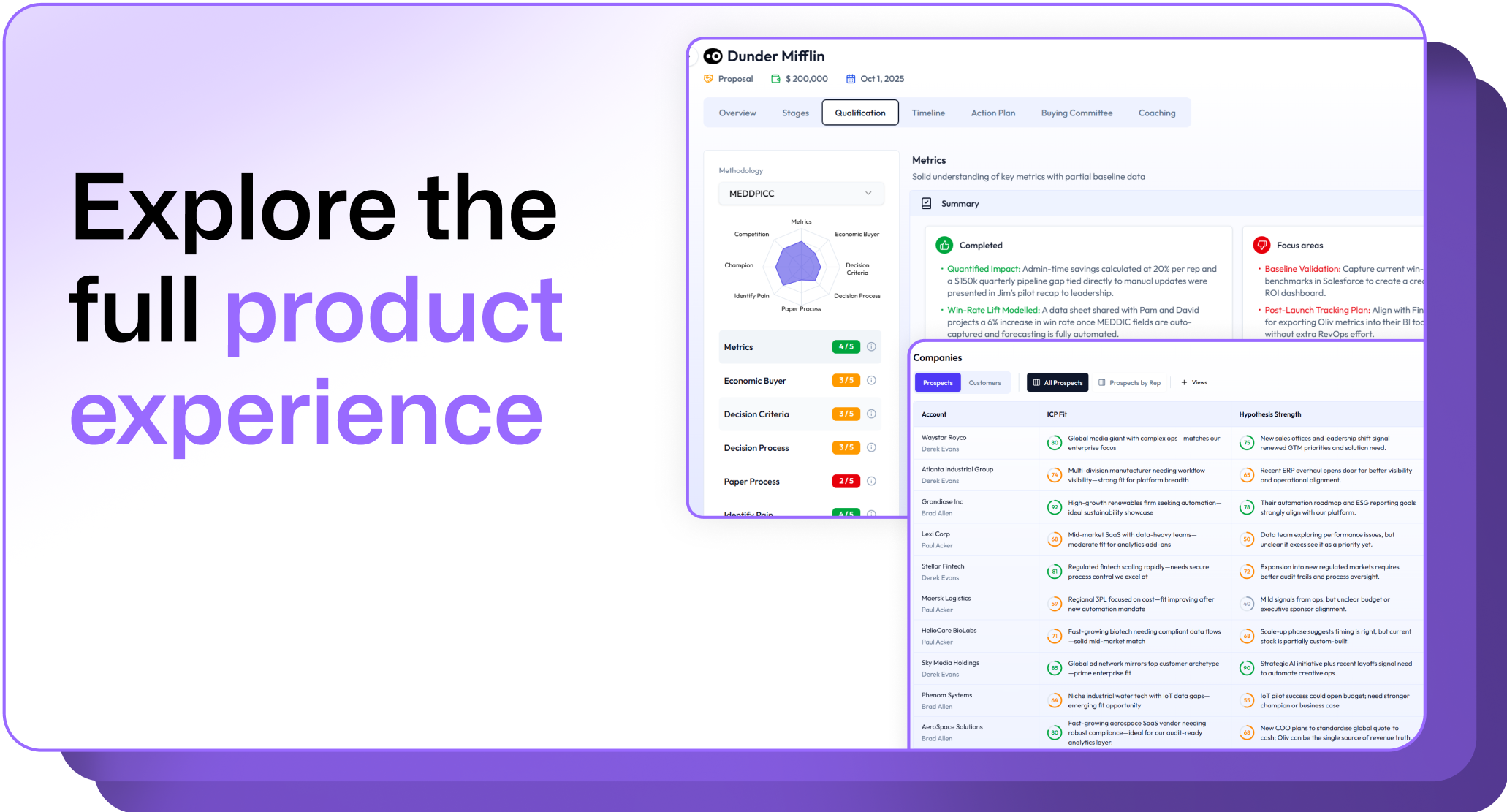
.avif)
.png)